Worksheet Crafter User Manual
This is the version history for older application versions.
Click here for the most recent version history.
New Capabilities in Version 2020.3
Version 2020.3 of Worksheet Crafter was released in November 2020 and contains the following improvements:
|
Note: Support for 32 Bit Versions of Windows will be abandoned in the future |

In one of the following releases Worksheet Crafter will be converted to a 64 bit application. By this change the application can allocate much more memory, so you may open and edit bigger workbooks. This new version will then no longer support 32 bit Windows. But do not worry: most systems are already 64 bit so nearly no one should run into problems. On Mac this is irrelevant.
This version 2020.3 of Worksheet Crafter is still running on 32 bit. We let you know before the change.
|
Note: Support of Windows 7 and macOS 10.10 will be abandoned in the future |
In January 2020 Microsoft will stop support for Windows 7. For Apple support for macOS 10.10 seems to wane. It is possible that in future versions of Worksheet Crafter we will no longer be able to support those OS. Of course on Windows 8 and 10 as well as macOS versions greater than 10.11 everything will be fine.
|
The separate Premium Content Installer becomes obsolete |
From now on you only need to install the Worksheet Crafter and then may directly install content from within the application.
If you do not have asset packages installed from a previous Worksheet Crafter version, the application will notify you in the content search panel. With a few click you can choose individually what types of content you want to install from the asset library. We created some neat collections for you.
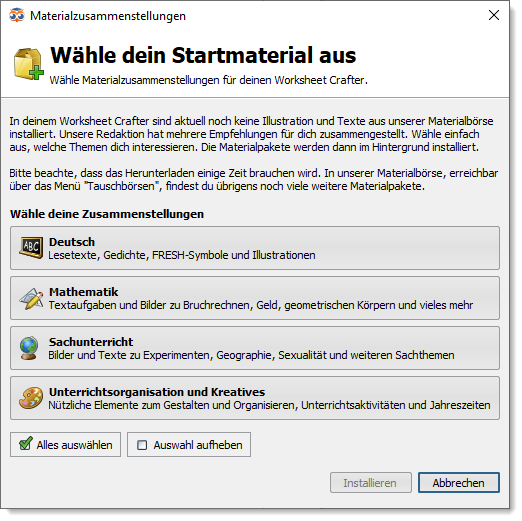
If there were asset packages installed already, you may open the selection dialog via the menu "Marketplace" > "Select asset package collections...".
The previously separate Premium Content from the second (now obsolete) installer is now available as asset packages in our asset library.
Please note, that this content stems mostly from the beginnings of Worksheet Crafter and is partly outdated or does not match our usual content quality.
Therefore these packages will be revised step by step. Worksheet Crafter will notify you when those revised packages are published.
In the meantime you still find the "old" packages marked as "in revision" in the asset package manager. You will find it in the menu "Marketplace" > "Manage Assets...".

|
Feedback channel for Worksheet Go! |
Now there is a feedback channel for Worksheet Go! that allows you to get informed whenever your children solve a worksheet.
It works like this:
To get feedback from a child, you first create a "Student-ID" in form of a QR code. With this QR code the child may login to Worksheet Go!. When logged in, on soving an interactive worksheet the results will be sent to our server. We forward them to you via email.
Note: Worksheet Go! may still be used without login, but then you will not receive feedback.
Creating a Student-ID:
To allow for a feedback channel, Worksheet Go! has to know which child uses the tablet. The App needs something like a virtual mail box where it may send the childs results to. That is what the Student-ID is for.
You may create a new student id by opening the following link in your web browser:
https://wsgo-id.worksheetcrafter.com/
There simply click on "Neue Schüler-ID erstellen". Enter a nickname for the child and your own email address. The blue button below creates a QR code for you to give to the child.
How you students log in:
In the upper right corner of Worksheet Go! the students now find a new icon resembling a person. They may log in by clicking on that icon and then scanning their personal QR code. If this is successful, the students will see their name and an orange login icon:

You distribute your worksheets as usual. Everything else is handled by the app as long as the child is logged in.
Getting your childrens results:
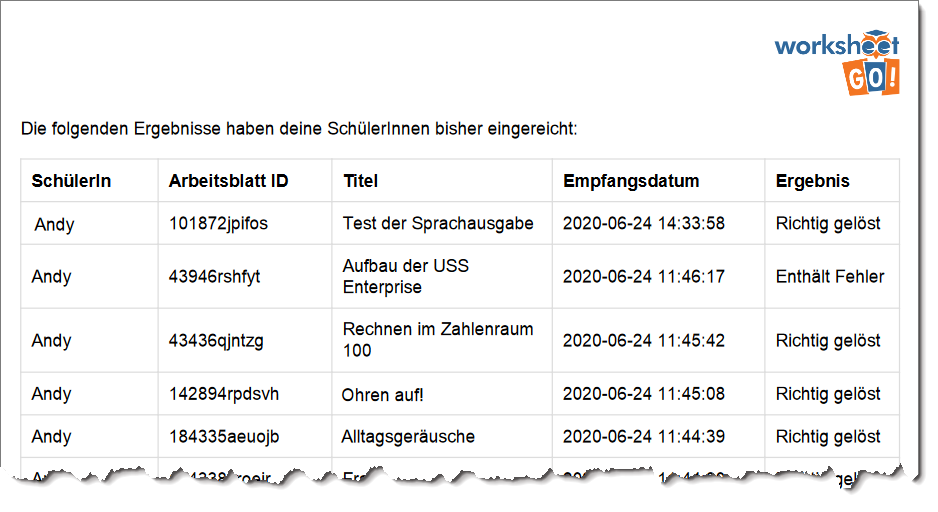
Our server collects the results and sends them to you per email twice a day at most. The email contains a PDF with all new results listed.
Additionally you may request the results via „Vorhandene Ergebnisse zuschicken lassen“ on the website. Enter your email and we will send the results to you:
|
Faster loading of worksheets |
We optimized the loading time for your worksheets. It is now about 5-10 times faster. Especially for large workbooks you may rejoice.
|
Simple text splitting |
Splitting text into multiple fields is especially useful for long text that you want to distribute across the page or even multiple pages.
Splitting may be activated by selecting the text item and then clicking the split text button in the items properties.
Now you may click at the position in the text where you want to split it. The lower part is moved to a new text item. If necessary the Worksheet Crafter moves this new item to the next page.

You may continue splitting the text until you right click or hit the Escape button.
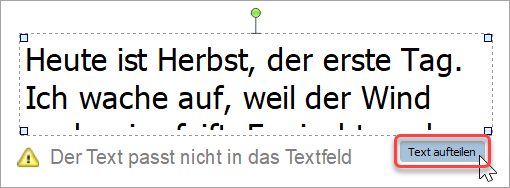
Hint: If the text does not fit into the item, Worksheet Crafter will show a warning and a split button below the text.
|
Titel and author for texts |
On inserting text from the content browser into your worksheet Worksheet Crafter will now add title and author for some texts depending on the text type. E.g. for non-fictional texts there will no title and author be added.
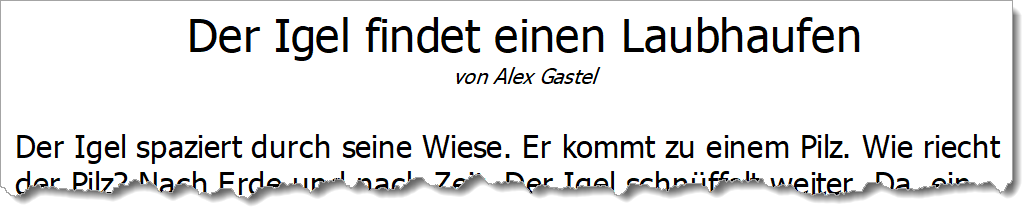
Of course you may edit this part of the text in your text item as well.
|
Asterisk |
Worksheet Crafter replaces a typed in asterisk with a multiplication sign automatically. This is very helpful for the most part, so we want to keep this behaviour.
But now in text items you may simply enter a second asterisk to switch back the multiplication sign to the asterisk (that you wanted to insert in this case in the first place).
Also the asterisk was added to the symbols in the text formatting toolbar.
Please note that this behaviour is currently only supported in text items and as of now does not work for other items like the solution item.
|
Font fixes |
We fixed a number of smaller problems with our fonts:
•WsC Grundschrift (and variants): "SZ" no longer gets auto-replaced with "ß".
•WsC Schreibschrift LA: character spacing for "swe" was corrected.
•WsC Schreibschrift SAS: The font now better fits lineatures. The character conjunctions for "Fest" and words beginning with "ä" were fixed. A smudge on the "i" was removed.
•WsC Schreibschrift VA: Now uses the correct "z" character in all variants. Bow length for "A", "H" and "F" were corrected.
|
Distribute table columns evenly |
A new button in the table toolbar lets you distribute columns evenly.

|
Marketplace Upload |
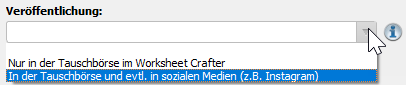
On uploading worksheets to the marketplace you now set the usage rights. You may allow us to use the worksheet in social media. We only do that for some selected worksheets.
Of course you may also choose to only publish the worksheet in the marketplace to make sure that it will not be used in social media in any case.
|
Customer portal |
In the help menu we added a direct link to open the customer portal in your web browser. There you find everything regarding your order: Worksheet Crafter installer, license data, bills, subscription settings and more.

|
Features from the experimental Eulennest version (2020.2) |
Some of you used our experimental Eulennest version of Worksheet Crafter. We were able to integrate the following features to the current release::
•Highlighting for interactive items: When working on interactive worksheets, interactively usable fields in the item toolbar are marked with an overlay.
•Marketplace for interactive worksheets: We opened the marketplace for interactive worksheets. In the upper right corner of the marketplace dialog you may choose between paper and tablet worksheets. And of course you may now also upload interactive worksheets.
•French language added to the Text-To-Speech-Item: Worksheet Go! can now read text with French pronunciation. Simply select French as language in the item properties.
No own Sounds for now
The support for using own sounds did not make it into Worksheet Crafter version 2020.3. We plan to integrate this feature a future version.
If you already created worksheets with own sounds, you may still use them and your recordings are still functional. But for now you may not add new Sounds to the content browser.
|
Many more fixes and improvements |
Additionally to the above we made the following improvements and fixes:
•New command Duplicate selected items in the Edit-menu (CTRL-D).
•New settings in ADMIN.INI: Administrators now may disable update notifications and other startup dialogs.
•New symbol in the text formatting toolbar: right angle with dot.
•Gap exercise: "original order" now actually sorts solutions in the original text order and not the order of your selection.
•Number operations now warn in the properties when the refinement settings cannot be fulfilled (e.g. when they contradic each other)
•Improved zooming: Scrolling with the mouse wheel keeps the focus instead of jumping to the currently selected page.
•Text exercises: When applying uppercase to the text "ß" will be changed correctly.
•"Color variant" now is called "Drawing style": In the edit menu and in the properties for illustrations you had the option to change the color variant. This was renamed to drawing style to clarify what it is all about.
•... and more than 40 additional fixes and improvements!
Keep your eyes peeled for updates in asset packages. We constantly improve our content. You will be notified about updates. On installing a package you always get the newest version.
New Capabilities in Version 2020.1
Version 2020.1 of Worksheet Crafter was published in Februar 2020. This version includes the following improvements:
|
Asset Packages now support Sounds |
In Worksheet Crafter 2020.1 we proudly introduce a new content type. Additionally to texts, fonts and illustrations, asset packages now may contain sounds, voices or other sound effects.
In Worksheet Go! pupils now can play sounds by clicking the respective area in the worksheet. This gives you many new options for creating interactive teaching materials.
Together with Worksheet Crafter 2020.1 we released our first sound asset package. In "Alltagsgeräusche" you find more than 80 sounds and voices of everyday life.
Important: Sounds are only supported on interactive worksheets. In the page setup you may switch to tablet format. This enables you to insert sound fields on the worksheet.
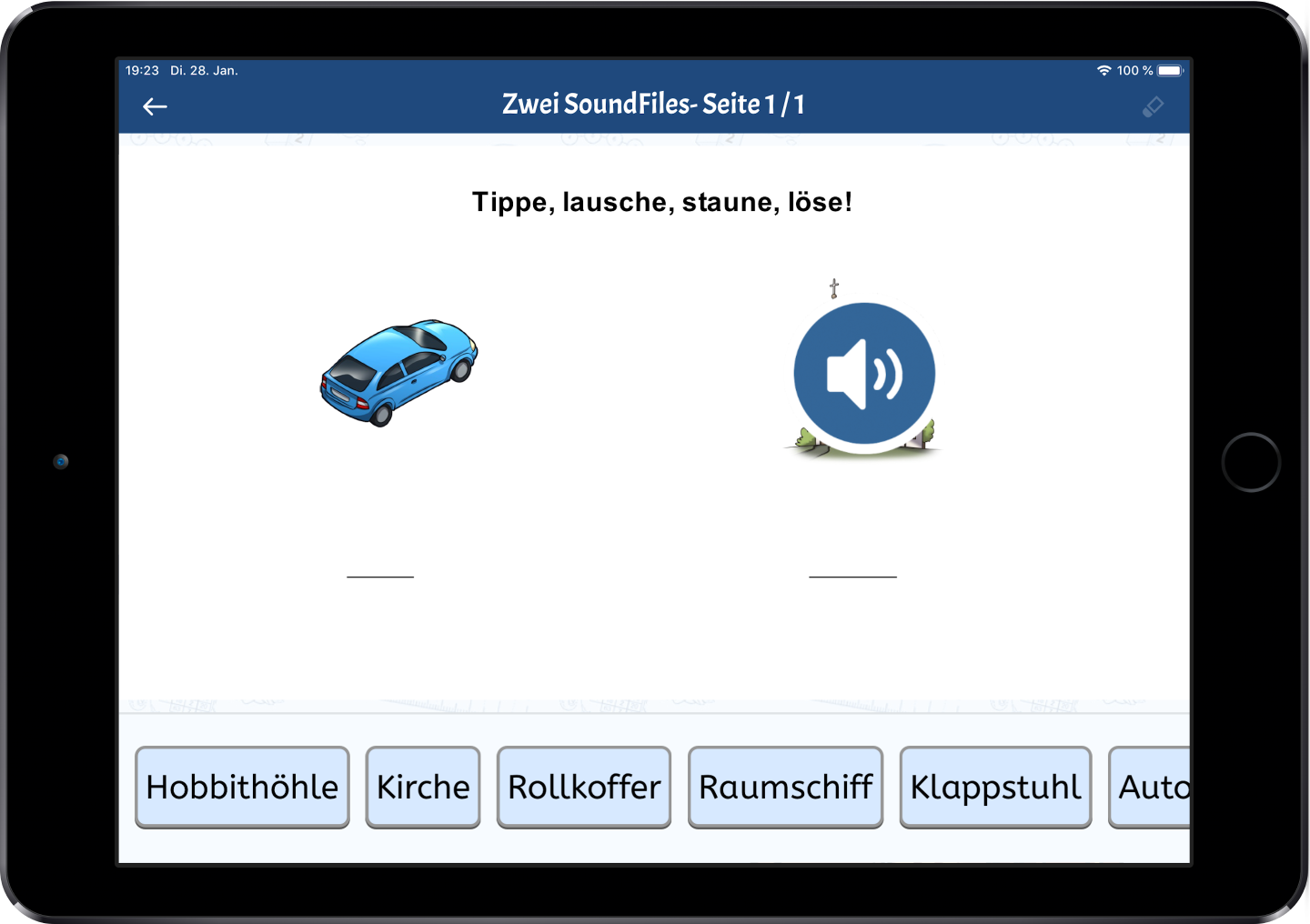
And this is how an interactive worksheet might look:
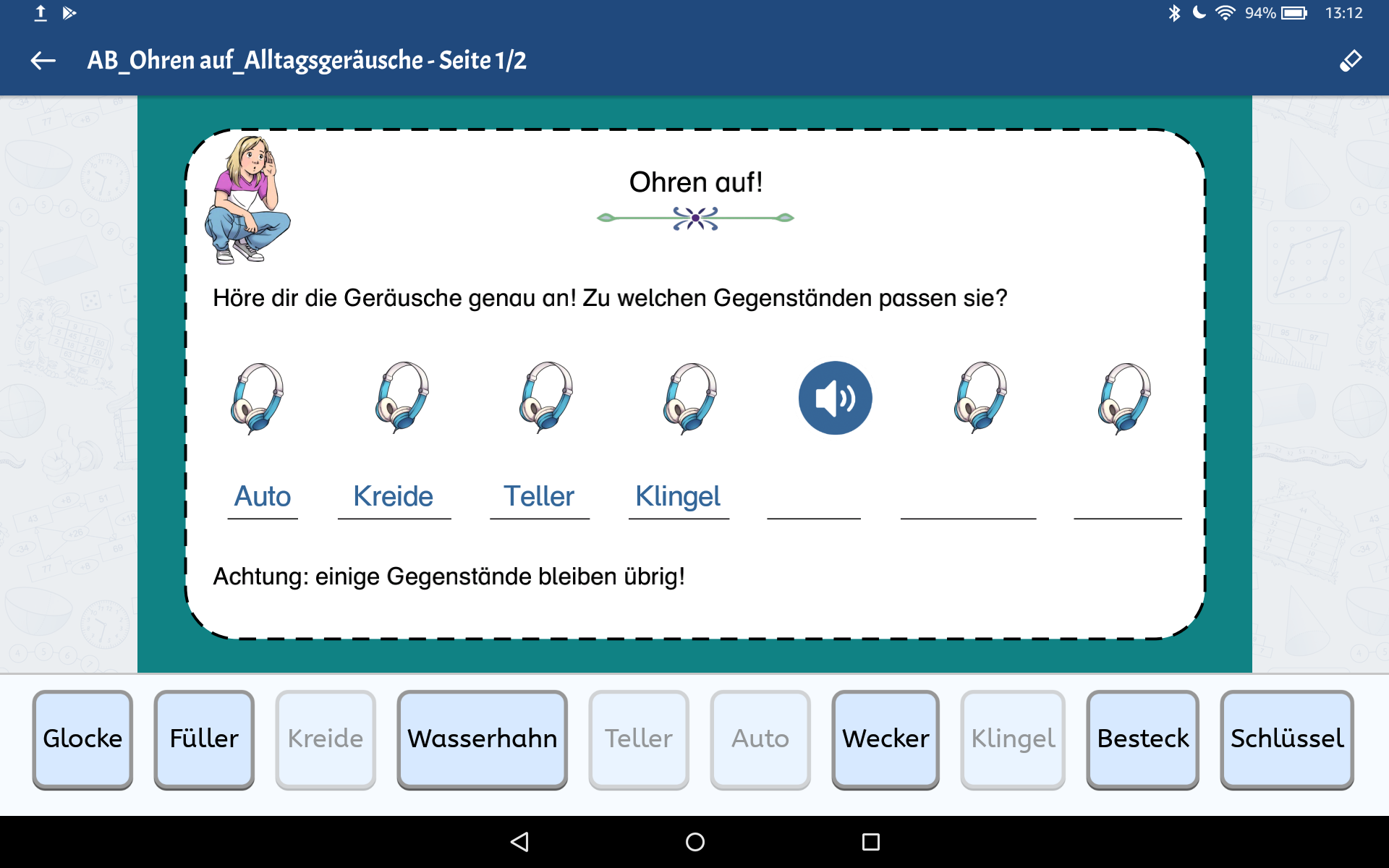
How does it work?
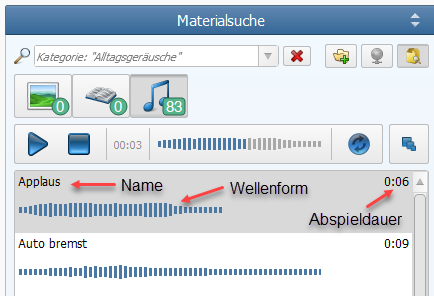
In the Content Browser next to the views for illustrations and texts you now see the new view for sounds. Switch to the sounds tab to see the waveform for all sounds matching your search:
Listening
When you select a sound in the list the playbar above is enabled:

By double-clicking a sound you may listen to it. Or you select the sound and start playback via the start button in the play bar.
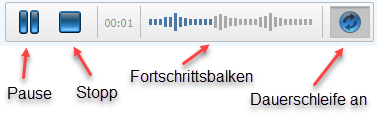
In the play bar you may also pause or stop playback. By toggling the repeat button you can set loop playback. Clicking the progress bar lets you jump directly to a position in the playback.
Waveform
The waveform shows you length and trend of the sound. The bars show you the sound intensity at the respective moments – bigger equals louder. This allows you to compare different sounds in the list.
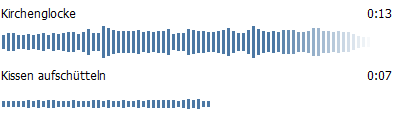
For long sound durations the waveform is faded out at the end. If you want to see more of the waveform, increase the size of the entire right side bar by dragging its left frame.

Toggling the view mode lets you hide the waveforms so way more sounds in the list are visible without scrolling.
Inserting Sounds Into The Worksheet
Set your document to the Tablet Format to enable adding sounds to the worksheet. You do this by opening the menu "File" > "Page setup" and then selecting "Interactive Tablet". Now you may simply drag and drop the sound on the worksheet or add it by right-clicking the sound and selecting "Add to worksheet" in the context menu.
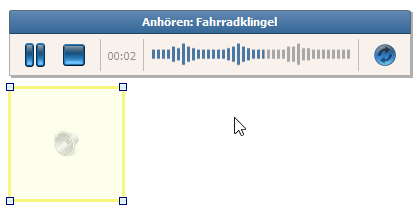
Please keep in mind that the sound field – like the text to speech field – is invisible on the final worksheet. In Worksheet Crafter it is displayed with a yellow frame, so you may still select it.
You may place the sound field above a suitable image or other to let your pubils know where to click for playing the sound.
In Worksheet Crafter it is also possible to listen to sound fields in the worksheet. Selecting the sound field by clicking the yellow frame will show a play bar that works exactly like the one in the content browser.
And now? WorksheetGo!
Export your completed worksheet for WorksheetGo!.
Load the worksheet in WorksheetGo!.
Now you may play sounds in the interactive worksheet in WorksheetGo!:
|
New File Format |
A huge novelty in the new Worksheet Crafter is our new file format. Yes, you heard correctly! We changed the file format.
The new format has many many advantages. Especially for big workbooks it plays out its virtues. We made the transition as easy as possible, so you do not have to mind anything special. But now for the details:
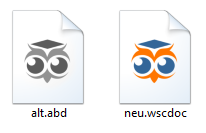
From now on Worksheet Crafter uses a new file format for saving your worksheets. You recognize it in Windows Explorer or Finder on Mac by the colored owl:
What about you and your worksheets?
•You are still able to open your old worksheets (with the file suffix .abd) in Worksheet Crafter.
•After installing the new Worksheet Crafter, they are shown with a gray icon in the file browser.
•The colored icon now stands for the new worksheets with the file ending .wscdoc.
•New worksheets will be saved in the new file format (with the file suffix .wscdoc).
•Old worksheets will be automatically converted to the new file format on saving (example.abd gets converted to example.wscdoc).
And what's the use?
With the new format we aimed to reduce working memory usage and disk space while at the same time reducing the time for loading and saving the document. For larger documents the difference becomes more obvious. For smaller worksheets there is less of a difference.
Now for the details:
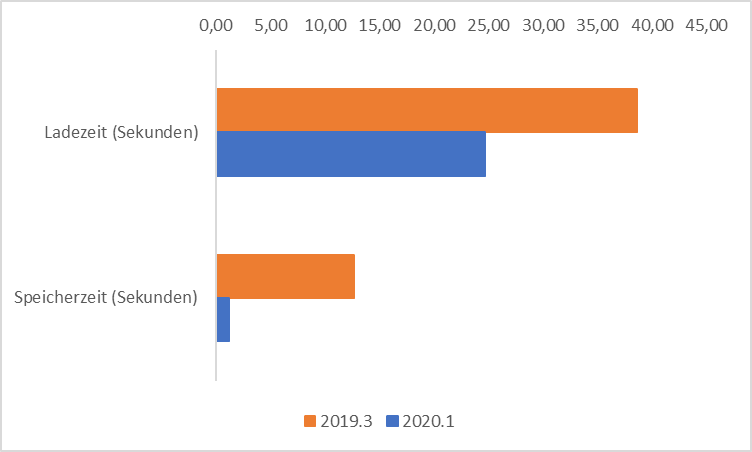
1.Saving worksheets is now much quicker. You will notice this especially for large workbooks. In our tests i.e. it took only 1 second instead of 14 – for a large workbook the difference was even 1 second instead of 40!
2.Loading worksheets has also speeded up, especially for workbooks with more than 20 pages.
3.The file size for large documents is much smaller (e.g. only 11 MB instead of 140 MB for a class calendar). This makes exchanging large documents so much more comfortable. We have to admit that for small documents the files may in some cases be a bit bigger than before.
4.Worksheet Crafter uses significantly less working memory for large workbooks (e.g. 650 MB instead of 3 GB). Consequently you will have less problems while working with large workbooks.
Here you may compare the difference between the old format (orange) and the new (blue) in detail, based on average values for some exemplary documents:
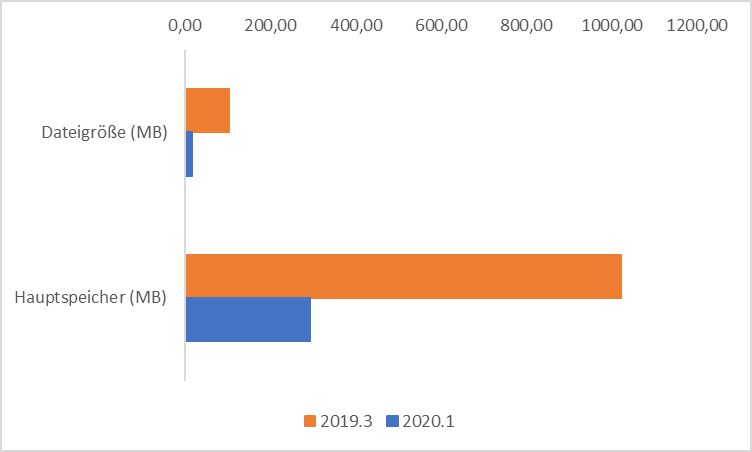
With the new file format we are now splendidly prepared for the future. Even when you more and more exhaust the possibilities of Worksheet Crafter and create more and more complex documents, Worksheet Crafter will not reach its limits by a long shot. And working with it will continue to be lively and comfortable.
|
New Item: QR-Code |
With the new Worksheet Crafter you can now create your own QR-Codes.
In example you can link to Wikipedia pages, music from the internet or interactive worksheets and your owl mail documents. Your pupils only require a smart phone or tablet to scan the code and open the link. This is a great thing especially for homework:

You can find the new item in the item bar at the left of your Worksheet Crafter:

In the item properties you may instert a link or hidden text as content:
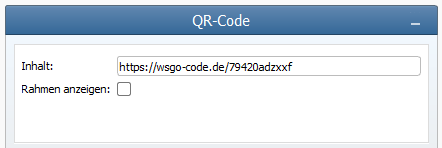
Thus you may i.e. directly link to an interactive worksheet that may be opened by scanning it in WorksheetGo! on tablet:

|
Changing Color Variants For All Images In The Worksheet |
From now on you can change the color variant for all images in your Worksheet Crafter document. I.e. you might have a colored document but might want to hand out the illustrations as contour, you can now get there with a few clicks.
The new functionality can be found in the "edit" menu:
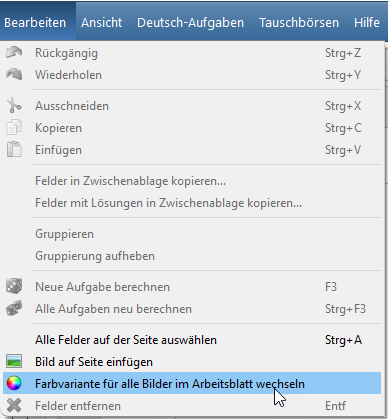
In the appearing dialog you may now switch between color variants:
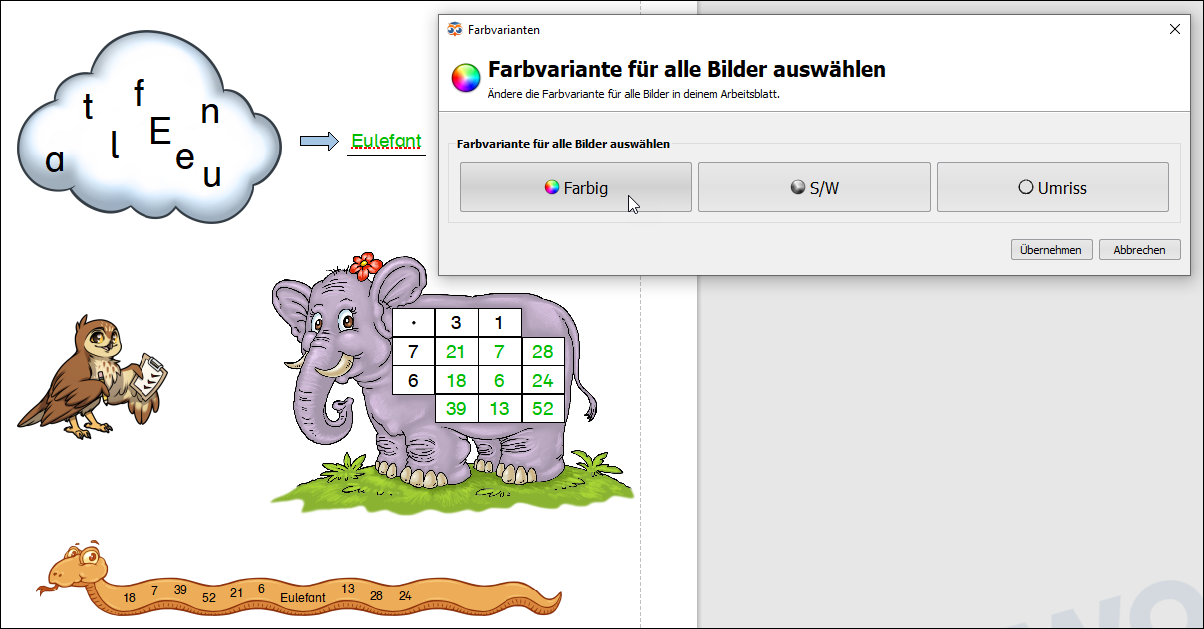
You may always cancel the changes to return to the previous state of your worksheet. Only when you decide to apply the changes, the are set in the worksheet. Of course you may undo them like any other change.
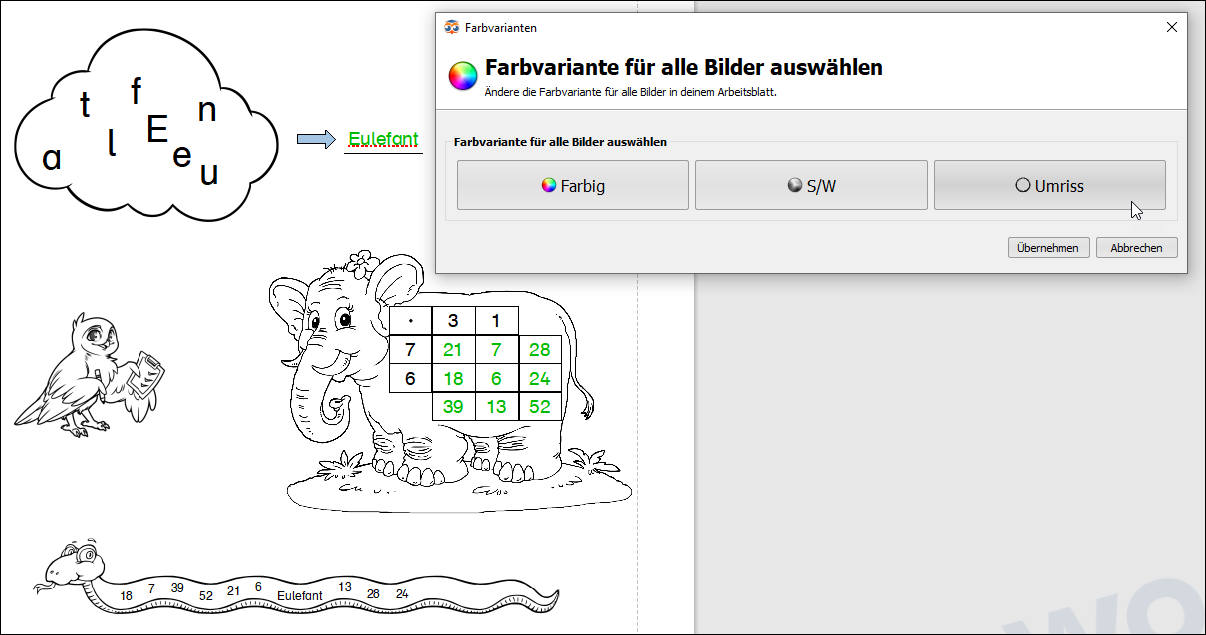
Changing the color variant is possible for nearly all images provided by the Worksheet Crafter or the asset packages. You will be informed in the dialog when not all images in the current worksheet support all color variants. Most of the time this concerns your own images or images from online search.
By the way you can also switch the color variants for the Letter Cloud, the Multiphant and the Self Control Item with the dialog.
|
Installing Missing Asset Packages |
When opening a worksheet you now will be informed when it contains content from asset packages that are not part of your installation:
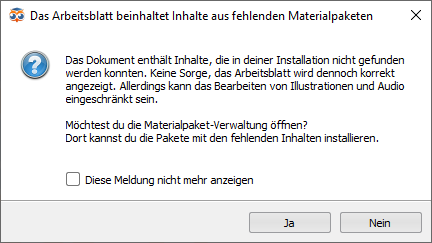
If you choose to simply close the dialog by selecting no, the worksheet will still be displayed correctly and can also be edited.
But on editing there will be some limitations. I.e. you may only switch the color variant for images from installed asset packages.
For this reason we recommend that you choose to install the missing packages. Clicking yes in the dialog will lead you to the asset package manager::
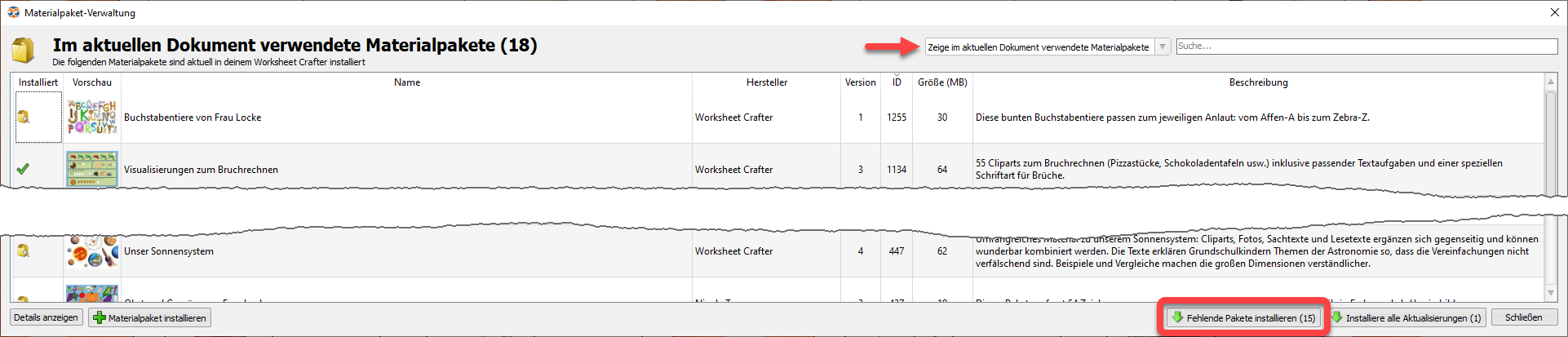
You get directly to the view of the asset packages used in the current document. You may open this view any time by opening the asset package manager via menu and selecting "Show asset packages used in the current document" in the dropdown.
Now you may install the required packages via the "Install Missing Packages" button.
|
The Graphics Item Is Back |
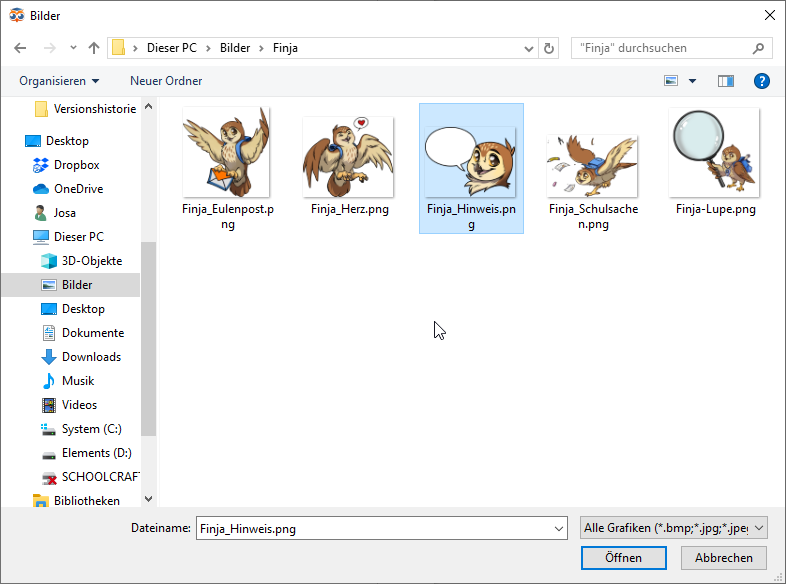
Many of you missed the graphics item in the toolbar. And we listen to you. For that reason we put the Graphics Item back in the toolbar. When inserting the item in your worksheet now a file selection dialog will open to let you choose which image to insert:
|
Metacom Integration |
Many of you use the symbol collection Metacom. We want to make using those symbols in Worksheet Crafter easier for you.
To find out how this comes across we implemented a first integration of Metacom 8 in Worksheet Crafter. If you have the Metacom-Collection version 8 installed, you will now find the symbols in our content browser:
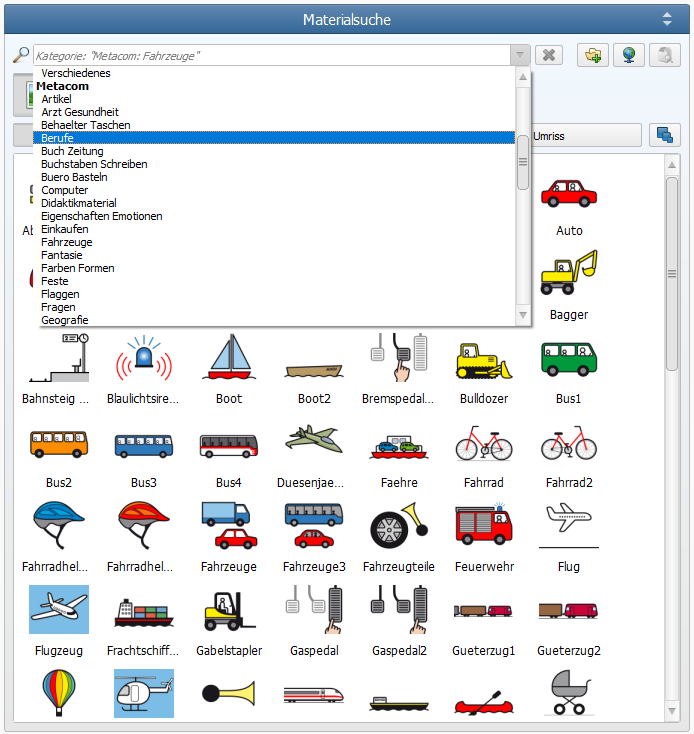
Metacom-Integration at the moment is a simple thing. I.e. at the moment we do not support the Metacom tags.
When the demand is high it is likely that we will improve on this.
|
New Installation Features for School Computers |
In the Worksheet Crafter installation dialog there are now extended options for school computers. On your own computer just choose the option Private Computer and continue the installation as usual.
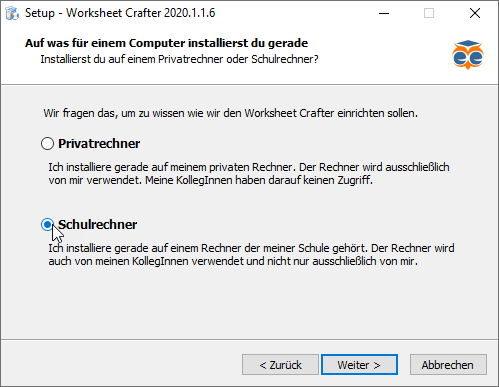
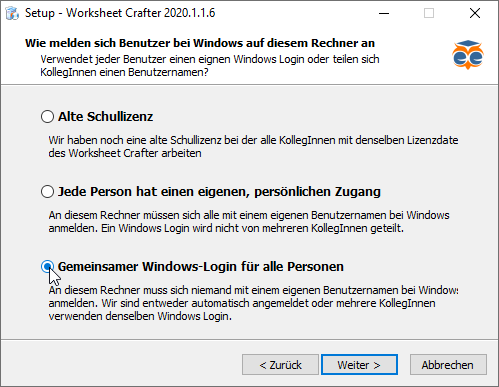
For installations on school computers there are now three options:
1.Old school license: If your school still uses an old school license, choose this option and continue as usual. An old school license is a school license where all teachers use the same license data of the school.
2.Personal Login: Are you sharing your computer with other teachers and have your own, personal login each for logging into Windows or macOS? Then this is the way to go. Everything else remains unaltered.
3.Shared Login: For multiple teachers with a collectively used login for Windows or macOS you may use the option Shared Windows-Login for all persons.
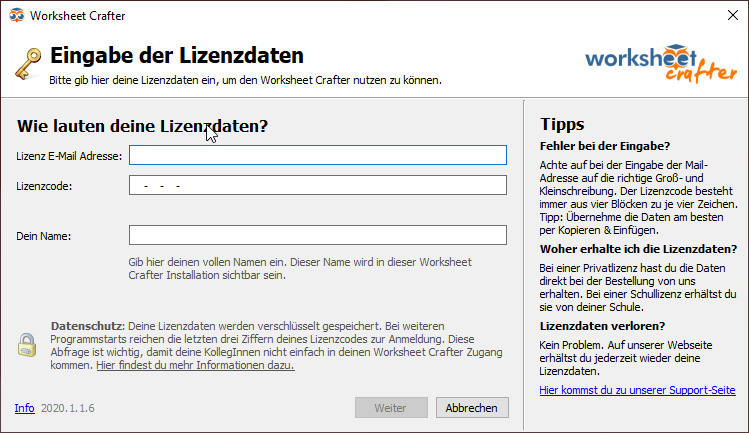
On first starting the new Worksheet Crafter you insert your license data as usual. The login window now looks a bit different, but does about the same:
Distinction for shared Windows-Login
With a new school license that gives you a personal license code each, there might appear a new logout button in the top right of your Worksheet Crafter. If you see this button, the Worksheet Crafter in your school is installed in a way that requires a login on starting the Worksheet Crafter. If you want to end your Worksheet Crafter session, you should use the new logout button next to your license email address to quit. This way you make sure, that nobody else uses your license data.

Next time you can use the simplified quick login where you only select your name and insert the last three characters of your license code.
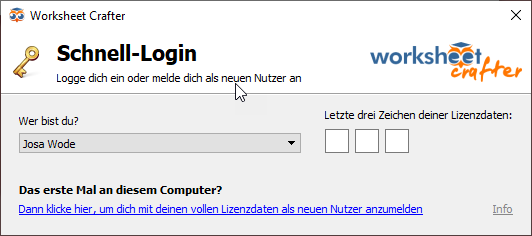
If it is your first time on this computer, click the link at the bottom of the dialog to insert your complete license data this once.
|
Many More Improvements And Fixes |
Additionally to the novelties mentioned above we implemented many more improvements and fixes:
•Asset Package Manager: From now on the available update section includes a description of the changes for each update. This gives you an impression of what improves with the update.
•Texts: We added the poem "Wie sich Weihnachten anfühlt" and reworked the story "Der Wald".
•Workbook Wizard: You will now be warned when your workbook for print contains more than 60 pages, because the page binding for the workbook limits the maximum page count to 60.
•Number space in exercise generator: Now it is possible to type in a number space without having the cursor jumping to the end all the time.
•Improved stability: We fixed some errors, that might lead to freezes, crashes or unexpected behavior.
•... and many more fixes and improvements (e.g. in the content browser or on saving documents)
New Capabilities in Version 2019.3
Version 2019.3 of Worksheet Crafter was published in October 2019. This version includes the following improvements:
|
New Exercise Item for Decomposition Exercises |
The new Worksheet Crafter has a new exercise item that many of you requested: the decomposition exercise item:

The Decompostion Exercise Item allows you to create addition and subtraction exercises with overrun that will be solved by the kids in two steps. This way the children learn how the calculation has to be decomposed. You can find the new Worksheet Crafter item in the toolbar on the left:

In a newly created decomposition exercise item the exercise generator is active by default. Here you can chose the arithmetic operation and freely set the number space. You may configure the visibility of the items fields as well:
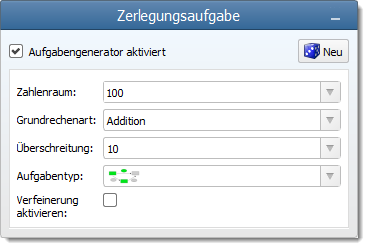
If you want further customization, activate exercise refining. Here you find a powerful tool for configuring your exercise, similar to the advanced options for number operations. If this still does not fit your needs, you may use the manual mode to insert the numbers on your own. Even then Worksheet Crafter can automatically calculate the solution values for you.
|
New Puzzle Item for Letter Clouds |
With the new Letter Cloud Item you can create puzzles, where a word or short sentence is split into its individual letters or groups of letters that will be distributed randomly. It is your pupils task to find the original word in the letter cloud:
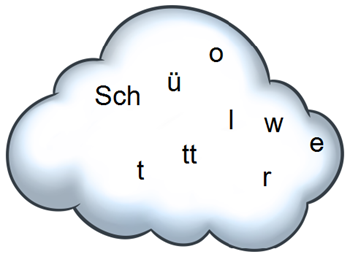
As usual the new item can be found in the toolbar on the left of your Worksheet Crafter:

You can decide how the word will be separated. For example single letters or whole syllables could stick together in the distribution. This is done by separating letters or groups of letters in your letter cloud properties:
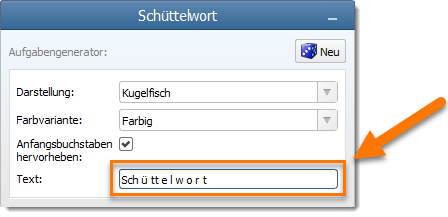
We created a variety of background images for your letter cloud. Optionally the letter cloud can be displayed without background, when the image might be too much of a distraction. Here is a display of the different shapes:
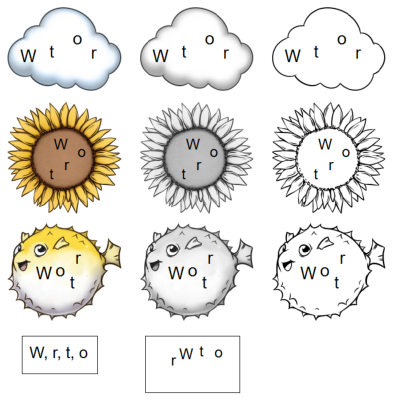
|
Crossed number line |
Until now the number line in Worksheet Crafter had no crossing lines. The step lines were only displayed above the number line. From this version on you can check the crossing lines property for the number line to activate this new look:

|
Property Editor Shows Illustration Name |
When using a lot of images in Worksheet Crafter editing the document may get you into tricky situations where it is hard to tell for overlapping items what is actually selected.
The new Worksheet Crafter now shows the name of the selected image in the property editor so you always know which image is actually selected for editing:
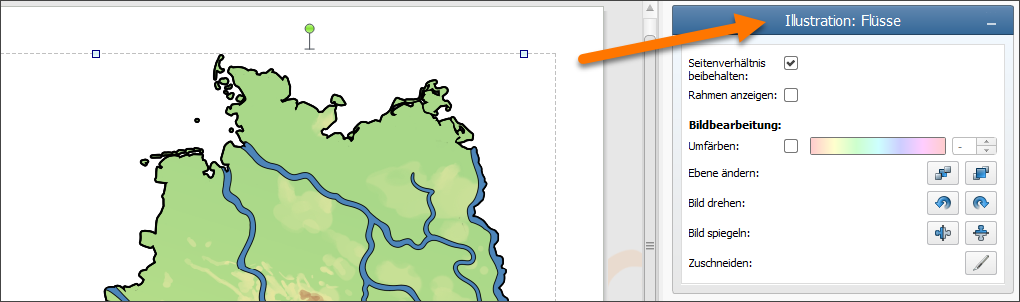
|
Item Toolbar Changes |
The picture item was removed from the toolbar. Of course you still may add own images to Worksheet Crafter. For this the edit menu has now the entry "add image to current page". But in most cases you will drag the illustration directly from the content search window anyway.
Additionaly you have the following options: Did you know that you can add own images and categories to your content search? Those images will be permanently available in your Worksheet Crafter. For more check out the respective section in "Using Cliparts". Also you may simply drag and drop an image from your file browser onto the worksheet.
We also changed the item toolbar order to insert the new items at appropriate positions. So don't panic when an item cannot be found at first look - you will certainly find it soon at its new position.
|
Many More Improvements and Fixes |
Additionaly to the above we implemented many more improvements and fixes:
•Numbering Item: Here the maximum font size increased and when creating multiple numbering items the font size will be adapted from the previous item.
•Arrow Operations and Operator Items: For those items you may now choose the number space 10.000 directly from the property editor selection list.
•Lineature Items: On manyfold request handwriting houses in lineature items now have a distinct separation line between ground floor and roof.
•... and many more (e.g. in content search or to improve scaling on high resolution displays)
New Capabilities in Version 2019.2
Version 2019.2 of Worksheet Crafter was published in June 2019. This version includes the following improvements:
|
Content Browser: Combined Search and Category Dropdown |
Since the image search gets more and more important, we reworked the user interface to match this. The new Worksheet Crafter comes with an update content browser which combines the search and category selection in one single user interface element. This way you don't need to explicitly switch to the search field anymore when a search is required:
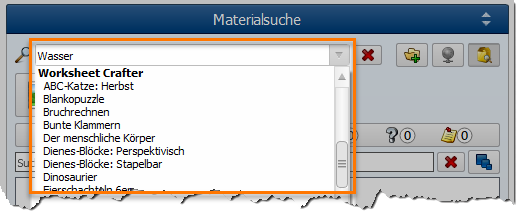
|
Content Browser: Configurable Preview Size |
The content browser now provides a new button for configuring the preview size. You can thus know decide on your own whether you want to see small or large previews of the images:
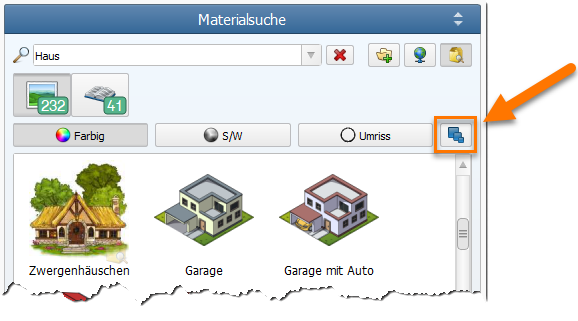
We also optimized the drag & drop process so that you immediately see an accurate preview of the image when dragging it onto your worksheet.
|
Searching for Related Content |
We have added a clever new functionality to the content browser. The context menu offers you a new function for searching for related content. This specialized search will show you all images which relate to the currently selected one:
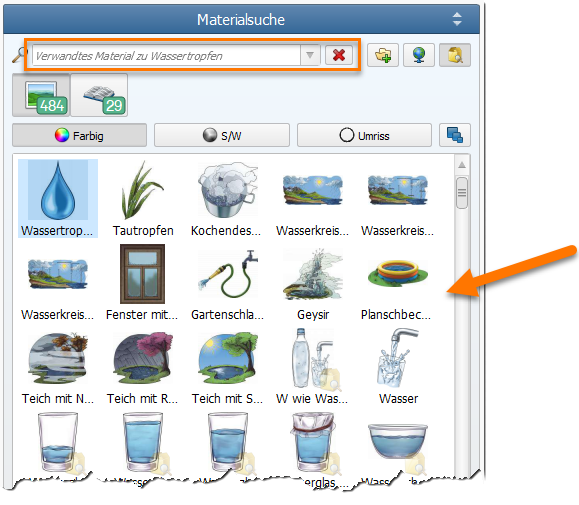
|
Automatic Line Numbering for Text Items |
The text item now allows you to automatically show line numbers for your complete text. You will find this new functionality in the properties of text items. Once enabled, you can configure the start index, the interval, the font properties and much more:
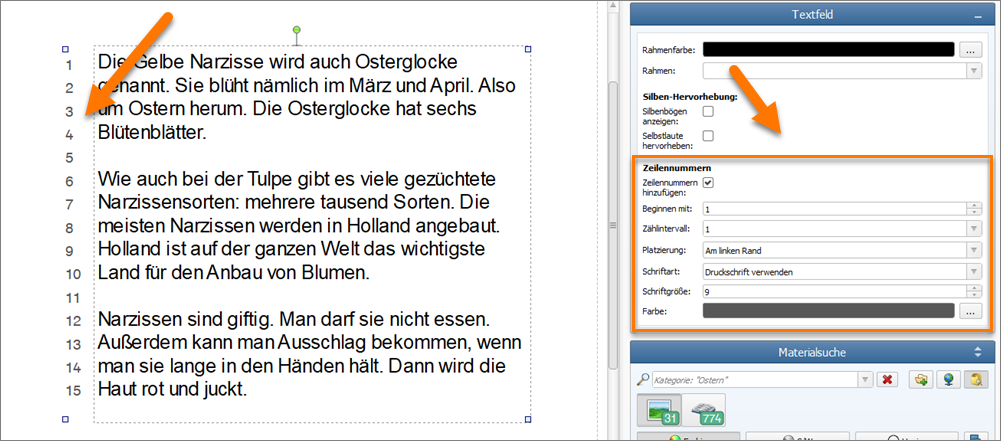
|
Dashed and Dotted Lines in Shapes |
Our shapes now support a custom line style, allowing you to place dashed and dotted lines on your worksheet. You will find this new option in the properties of the shape items:
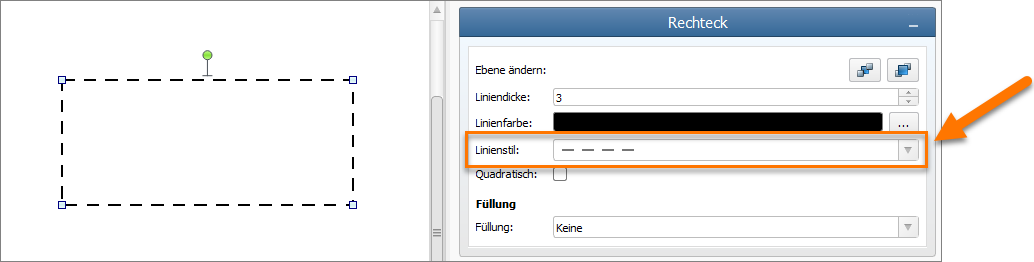
|
Colorizing Images |
The image item now support dynamic colorization. When enabling this new feature you can choose a color from a color spectrum. Worksheet Crafter will then colorize your image accordingly, preserving the image contour as is:
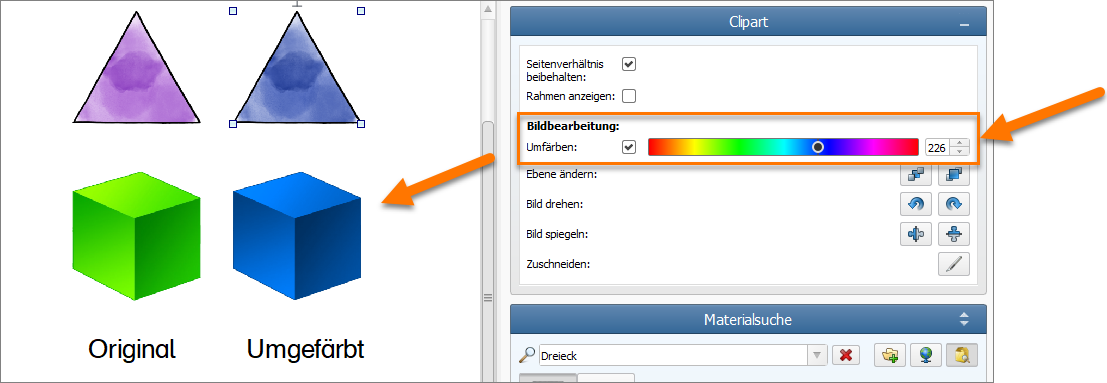
New Capabilities in Version 2019.1
Version 2019.1 of Worksheet Crafter was published in February 2019. This version includes the following improvements:
|
Better Support for High Resolution Displays |
Worksheet Crafter 2019.1 now comes with better support for high resolution displays. This covers both modern notebooks and external 4K displays. In both cases the upper toolbar is now larger and thus easier to access. Further more various dialogs and icons have been adjusted to work better on these displays.
|
Fill Background for Speech Bubble |
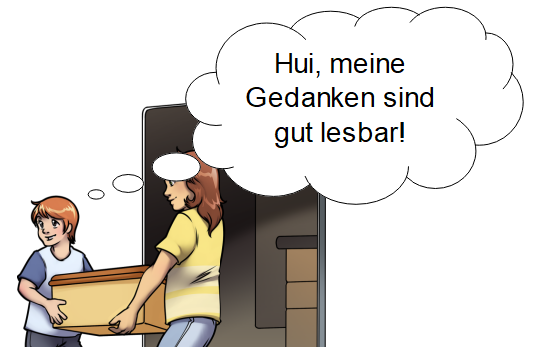
The background of the speech bubble can now optionally be filled with white background. This allows you to place the bubble on colored background without causing the text to be less readable. Here is an example where the bubble is placed on top of an image:
|
New Symbols |
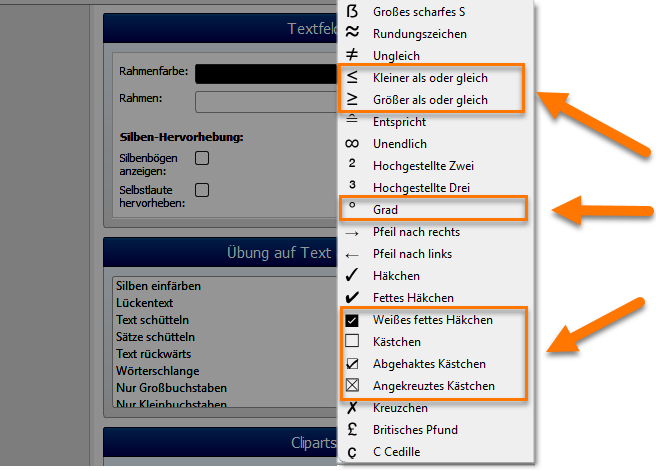
We extended the symbol drop down list in the upper text formatting toolbar with a set of additional useful symbols. You fill now find symbols for "more or equal", "less or equal", a degree sign and various checked and unchecked boxes in there:
|
Improvements in Font Selection |
The new Worksheet Crafter now gives you a hint if you try to select an outdated font where a better, newer font family is available. This way you avoid running into unnecessary font problems. On Mac we additionally improved the font selection drop down to hide internal operation system fonts.
|
Various Improvements to Text Tables |
We applied multiple improvements to text tables to simplify their usage:
•Applying formatting to empty table cells is now supported and does correctly work together with Undo/Redo
•When undoing or redoing font size changes, the text table could previously enlarge columns unnecessarily. This has been fixed in the new version.
•Numberings and lists are now properly supported inside text tables
•When deleting the last row or column in a table, any custom outer border applied to the table is now preserved and still visible after the deletion operation
•Worksheet Crafter now makes sure that you can't accidentally paste tables inside tables.
|
Improvements to Loading and Saving |
The new version also includes improvements related to loading and saving worksheets and templates:
•The new Worksheet Crafter now properly detects if a template file is corrupted and warns you about this.
•When loading worksheets with a zero file size, the new version now correctly detects this and shows you a warning.
•Exporting PDF file can not override existing worksheet files anymore, even if you accidentally chose a worksheet file as target for the PDF export. Worksheet Crafter now assume that you accidentally chose the worksheet file as target and saves the PDF file separately.
|
More Accurate Print Preview |
The print preview now provides a closer match the final print. Both the spellchecker warning lines and invisible layout lines are now hidden in the print preview.
|
Improved Usability of Equation Editor |
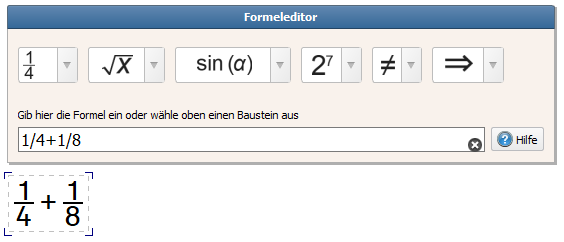
We improved the usability of the equation editor by adding a finer undo/redo support to the editor. Additionally, when selecting a formula from a drop down menu it will now not replace the existing formula anymore, but extend it. This way you can't accidentally override your formula.
|
And many more improvements |
•Handwriting Fonts: When using handwriting in combination with justified text alignment, the letters can't get truncated at the right border of the text item anymore.
•Worksheet Marketplace: The worksheet marketplace will now work better with unstable internet connection where establishing the connection takes very long
•... and many more
New Capabilities in Version 2018.3
Version 2018.3 of Worksheet Crafter was published in November 2018. This version includes the following improvements:
|
Operating System Compatibility |
Worksheet Crafter 2018.3 requires at least Windows 7 or macOS 10.10. The old operating systems Windows XP, Windows Vista, macOS 10.7, macOS 10.8 and macOS 10.9 are not supported anymore. If you still use one of these older operating systems then either upgrade to a new operating system or do not install this new version of Worksheet Crafter.
|
Support for Variant Printing |
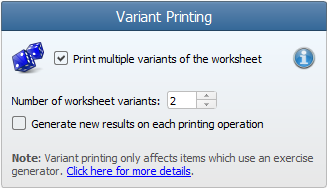
With the new variant printing feature you can now print multiple variants of your worksheet in one step. Worksheet Crafter will make sure that each variant has unique values. The configuration can be done at the bottom of the printing sidebar:
|
Grouping Items |
You can convert multiple items to a single group and then easily move this group on your worksheet. To group items simply select them, open the right-click context menu and click on the Group command. You will find the command for release the group in the same context menu.
|
New: Solution Item |
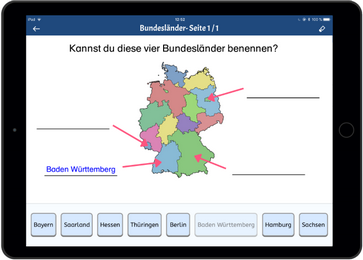
The new solution item can be used for various kinds of worksheets. Simply drag this item into the view and enter an arbitrary text. The text will then be treated as solution and will thus only be visible on the answer key.
The solution can be rendered in syllable colors and surrounded with a frame. It is ideal for interactive worksheets that your students solve with Worksheet Go!
|
New: Audio Playback |
The new audio playback item allows you to place custom speech areas on your interactive worksheet. Text and language are configurable. If your students tap this area on the iPad, your custom text will be played back. This item is very useful for instructions or language exercises:
Note that this item is only available when your worksheet is configured to iPad mode.
|
QR Code Support in Worksheet Go! |
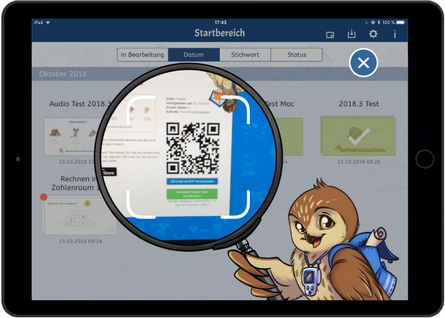
Worksheet Go! now supports QR Codes. When you send your worksheet to the iPad, Worksheet Crafter will now offer both the traditional download code and a QR code for loading the worksheet inside Worksheet Go!. Make sure to update Worksheet Go! to the latest version, to get support for QR Codes:
|
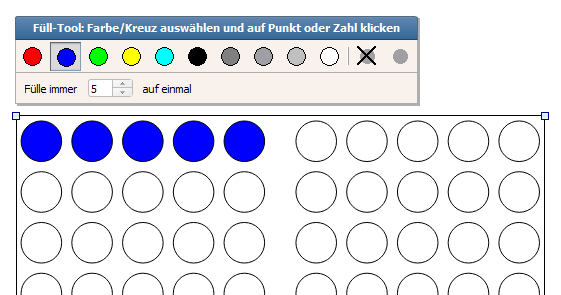
Colorizing Hundred Frame Items in Manual Mode |
Colorizing hundred frame items in manual mode is now significantly easier than before. We added a new option to the toolbar, allowing you to configure how many points will be colorized with one click. This way you can e.g. colorize 5 points per click instead of needing to click on all points separately:
|
Configurable Line Thickness for Text Items |
When configuring a frame for text items you can now also choose a custom thickness for the frame lines.
|
Any many more improvements |
•When searching for cliparts you can now enter multiple search words, for a better filtering of your search results
•The row and column spacing within number operations items can now be configured via the line spacing dropdown in the text formatting toolbar
•The line spacing option now allows large scalings, i.e. x4 and x5
•Resizing items to the page borders is now easier since the items automatically to the borders when moving close to them
•The rectangle selection has been improved to make it easier to select items which partially exceed the page borders
•The table item now supports up to 32 rows
•Picture items can now partially exceed the page border, to be more flexible when placing them close to the borders
•Opening the market place is now about two times faster than in previous versions
•... and many small improvements more
New Capabilities in Version 2018.2
Version 2018.2 of Worksheet Crafter was published in June 2018. This version includes the following improvements:
|
Inserting Rows and Colums in Tables |
You can now easily insert rows and columns into existing tables, or remove rows and columns from it. Use the new buttons in the table toolbar to access this functionality:

|
Syllable Colorization in Tables |
All text exercises except for gap exercises can now be applied to tables as well, including syllable colorization:

|
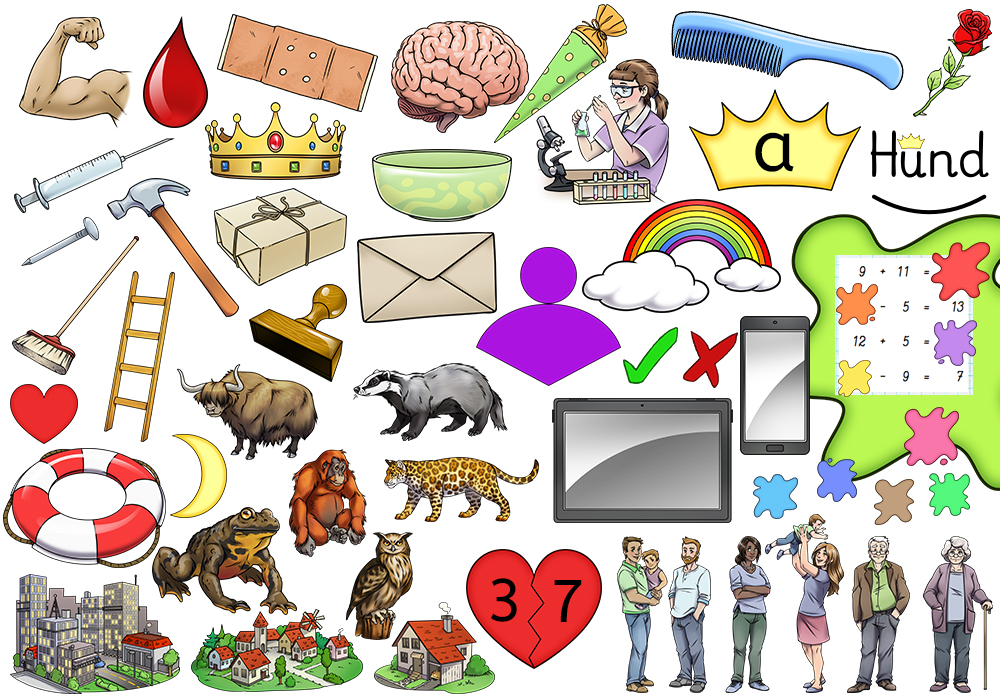
Many new Premium Cliparts |
We added plenty of new Premium Cliparts based on your suggestions:
|
Improved Worksheet Marketplace |
The worksheet marketplace user interface has been improved, making it easier for you to find suitable worksheets:
•The dialog now supports a global search, allowing you to search for worksheets across categories
•The sorting options have been improved and extended
•You can now report a worksheet if you think it has illegal or non proper content. A report link is shown next to each worksheet preview images.
|
Improvements for Uploading Worksheets to the Market Place |
We applied a few improvements to the worksheet upload process, to make it easier for you.
When selecting a category, Worksheet Crafter now opens a dialog in which you can choose the category from a category tree. The worksheet names of each category are immediately visible, so that you can directly spot whether your worksheet would fit in there.
Additionally, if you try uploading a worksheet with an unknown image then worksheet now warns use. It will show you which images are potentially problematic, so that you can fix it.
|
File Preview on Mac |
On Mac you will now see previews images of your worksheet directly in the Finder application:

|
Period and Colons in Math Grid item |
In the math grid item you can now add periods and colons to the characters as well:

|
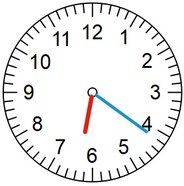
Colored Watch Hands |
The clock item now allows you to colorize the two watch hands. You can choose the colors on your own:
|
Configurable Background Color for the Handwriting Line Main Row |
When enabling main row highlighting for a handwriting line you can now specify the color it shall use for the highlighting:

|
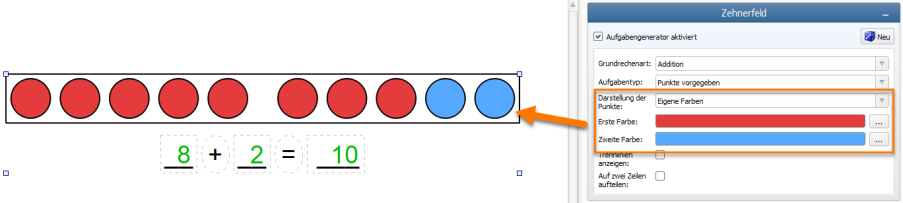
Configure Color for Ten-/Twenty/Hundred Frame item |
If the standard blue-red or grayscale colors are not suitable for you, then these items now allow you to set custom colors for the dots:
|
Printing Range of Pages only |
You can now choose to print specific pages only then printing your document. Previously you could only choose between all pages and the current (single )page.
|
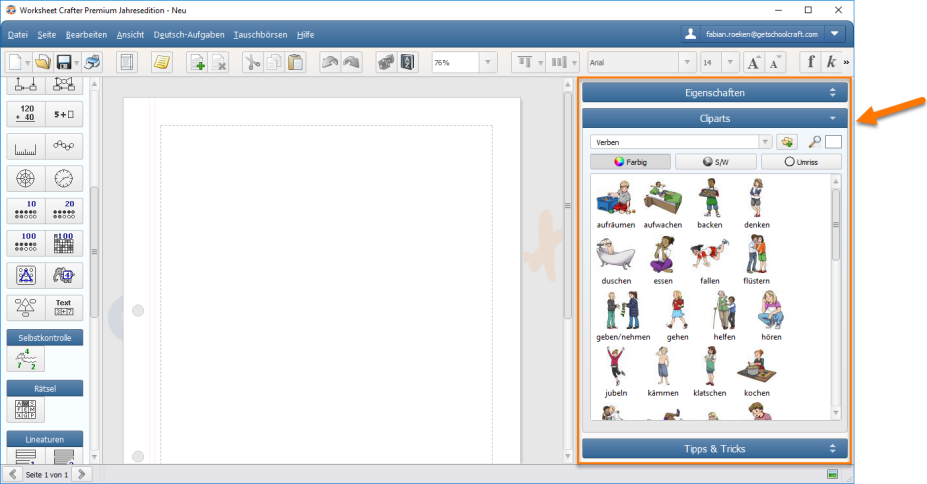
More Space for the Content Browser |
The Content Browser now shows a button in its upper right corner. Pressing this button maximizes it to the full sidebar height, minimizing the other sidebar elements. That way you can temporarily get significantly more space for the clipart preview.
|
Worksheets Consuming less Space |
We optimized the file format of our worksheet files. Documents with many images will now take up significantly less space on disk.
|
;More then 60 further improvements |
We applied more than 60 further improvements and bug fixes to Worksheet Crafter, to make it even more easier for you to use.
New Capabilities in Version 2018.1
Version 2018.1 of Worksheet Crafter was published in January 2018. This version includes the following improvements:
|
New: Word Search Puzzle |
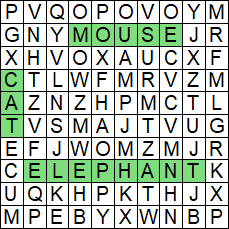
The new Worksheet Crafter now supports word search puzzles as new exercise format. These word puzzles can be used for many purposes such as training concentration or the reading abilities. Create an own word search puzzle is really easy. Drag the exercise from the left sidebar and enter your words in the property editor on the right side:
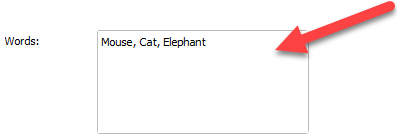
... and ready is your puzzle:
|
New: Teacher Notes |
You can now add custom notes to your worksheet pages. These notes will only be visible inside Worksheet Crafter and do not get printed:

Use these notes to provide additional information to your pages. This can e.g. be a reminder for yourself or explanations colleagues you'll send the worksheet to.
To add a teacher note simply click on the yellow note icon on the top toolbar:

|
More Improvements |
•The About dialog inside Worksheet Crafter now shows you whether and which version of the Premium Content you have installed.
•We replaced the splash and welcome screens inside the application
•If a worksheet document is damaged then Worksheet Crafter tries to fix it on loading
•The Multiphant exerice images now have a transparent border so that you can place them on top of colored backgrounds
•On Mac the installation now guides you through the necessary steps, to simplify the installation process
New Capabilities in Version 2017.3
Version 2017.3 of Worksheet Crafter was published in October 2017. This version includes the following improvements:
|
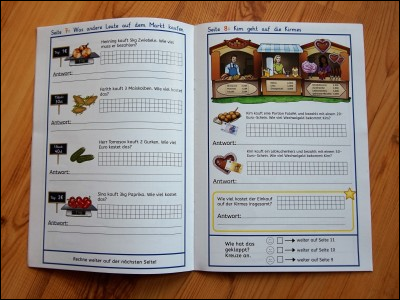
New: We Print Your Workbooks |
 Worksheet Crafter 2017.3 comes with an exciting new feature called Workbook Wizard. With this service we can print your document as beautifully printed workbook. Your workbooks will be fully colored and get sent to you within a couple of days. This way you can finally create individual printed workbooks for your students!
Important: At the moment we can deliver workbooks to Germany and Austria only.
Read more about our new Workbook Wizard in this chapter here.
|
New: Cropping Images |
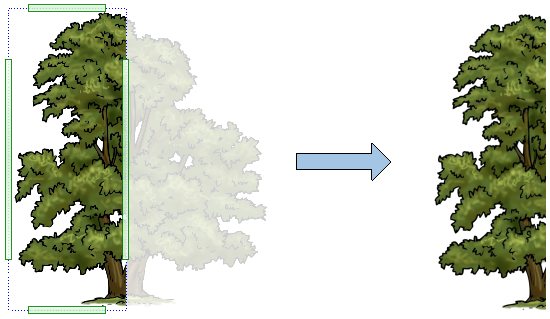
With the new Worksheet Crafter you can finally crop images directly within the application. To do so, click on the Cropping button in the property of the image item. You can then easily adjust the crop region with your mouse:
|
New: Hundred Frame Item |
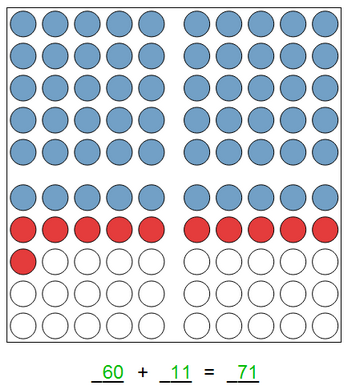
With the new hundred frame item we added a new math exercise to Worksheet Crafter. The new item is used in the same way as the already existing ten and twenty frame item. You can either use the integrated exercise generator or disable the generator to get full contorl of the item content:
|
Ten Frame Item with two rows |
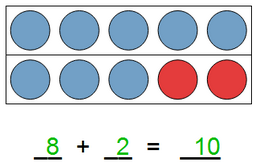
The ten frame item can now optionally be configured to split its points into two rows:
|
New: Place Value Colors |
With our new place value color functionality you can now easily colorize all math exercises in your worksheet according to place values:

You can enable this option in the Page Setup dialog which is accessible via File menu.
|
New: Customizable Solution Color |
The solution color is now fully customizable inside Worksheet Crafter. While solutions were always shown in green color before, you can now choose any color for your solutions. This way you can for example print your solutions in standard black color if you want to use the worksheet as sample for your students.
|
Custom Row Color for Handwriting Lines |
The handwriting lines now offer the possibility to specify a custom row color so that the row is not transparent anymore. You can for example use this feature to create more contrast in your handwriting lines, or to place them on top of decorative background patterns:

|
Better Quality Premium Cliparts |
With this release we have refined all images in our Premium clip art collection. All images have been extended with dedicated transparency information so that they look better on colored background. In addition exporting the images to PDF files now won't result in visual artifacts anymore.
Important Note: As part of these improvements we had to remove the image categories "Tree", "Life on a Castle" and "Knights and Armors". If you still need these images then please contact our support team.
|
Announcement: The Future of Windows XP, Windows Vista und Mac OS 10.7 Support |
This version 2017.3 of Worksheet Crafter still supports Windows XP, Windows Vista and Mac OS 10.7. However, in upcoming versions of Worksheet Crafter these operating systems will not be officially supported anymore. The minimum requirements will then be Windows 7 and Mac OS 10.8.
New Capabilities in Version 2017.2
Version 2017.2 of Worksheet Crafter was published in Mai 2017. This version includes the following improvements:
|
New: Support for Worksheet Templates, with many useful examples |
The new Worksheet Crafter comes with extensive support for worksheet templates. This includes many useful templates for circle puzzles, clip cards, dominoes, folded books and more. You can access the templates via the Templates sub menu in the File menu:
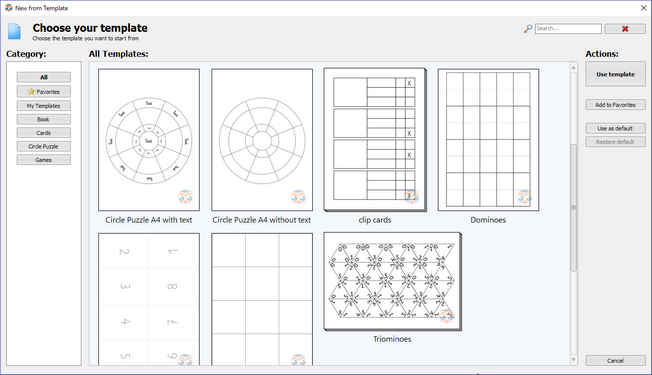
Adding own Templates
Besides using our predefined templates you can also create and save your own templates in the new Worksheet Crafter. This allows you to easily reuse common worksheet layouts. Saving own templates is also done via the Templates sub menu in the File menu:

Using a Template as Default Template
As an optional feature you can mark a template as Default Template. This will instruct Worksheet Crafter to apply this template whenever you create a new worksheet.
|
New: Integrated Image Search for OpenClipart and Pixabay |
The image search in Worksheet Crafter now comes with another useful feature. You can now search for images on OpenClipart and Pixabay directly within Worksheet Crafter. This gives you access to more than more than one million additional images which you can use without causing any legal problems.
The search is tightly integrated into Worksheet Crafter. Simply choose your search source here:
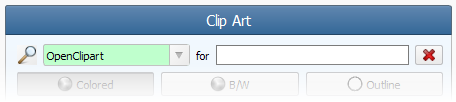
The results are as usual shown directly within the Content Browser.
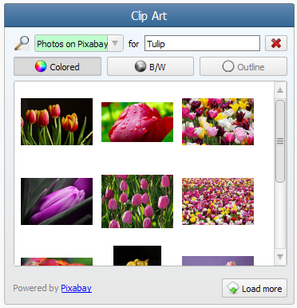
Use the Load more button to search for more images.
Automatic Grayscale Version of Images
Worksheet Crafter automatically provides OpenClipart and Pixabay images both in the original colored version and as grayscale image.
|
Useful Improvements to Lines and Curves |
Lines now automatically snap to 45° angles when moving one of their end points. This makes it much easier to create straight and diagonal lines. For curves this new snapping applies to 90° angles. Additionally the end points of lines and curves now snap to end points of other lines and curves, which simplifies the creation of multiple connected lines.
Last but not least we also declared the cell points in the math grid as such snapping points, so that placing lines in the math grid is now really easy:

|
Support for DIN A3 Paper Size |
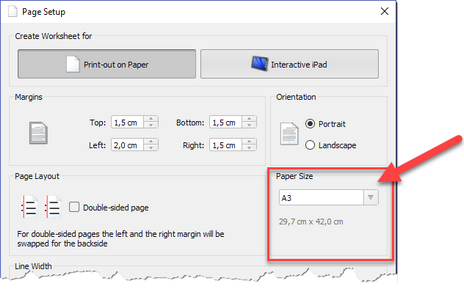
As requested by many customers Worksheet Crafter now supports the DIN A3 paper size. You can configure this in the Page Settings in the File menu:
|
Symbol Table for Inserting Special Characters |
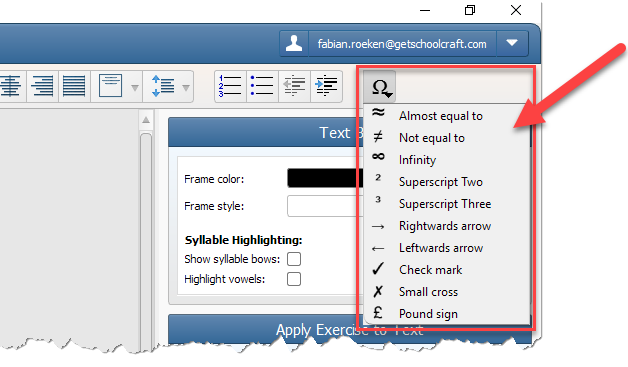
The text formatting toolbar now provide a drop down table with commonly used special characters which can easily be inserted into text boxes and exercise items:
|
Handwriting Line Fonts with Arrows |
Our handwriting line font is now also available with arrows. You can find this new font called WsC Lineaturschrift Pfeile in the font dropdown list:

|
Underlining and Bordering Math Grid Cells |
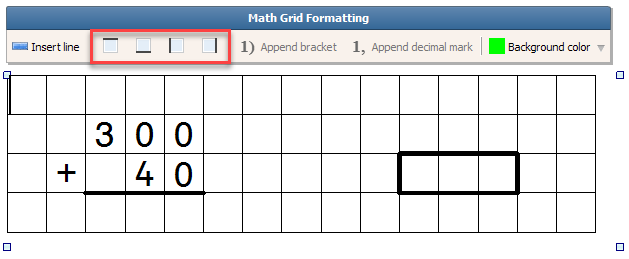
The math grid items now offers buttons for adding thick frame lines to the cells. This can be used to underline cells or to place a thick frame around one or multiple cells:
Additionally the math grid item now also accepts special characters such as the superscript two or the almost equal to sign.
|
Helpful Hint or pixel-precise movement |
Worksheet Crafter already supported pressing the Alt-key for performing a pixel-precise movement when moving or scaling items. The new version now shows a helpful hint when an item is being moved, so that everybody knows about this useful feature.
|
And many improvements more |
•When moving multiple items the items now keep their relative position to each other
•If multiple items overlap you can now use the TAB-Key to switch between the overlapping items
•The Content Browser now shows the base name of own images as clipart name. Previously own images did not show any name.
•On Mac pressing Cmd+? now opens the context sensitive help for the currently selected item
•When sending worksheets via owl mail the link in the clipboard can now properly be inserted into Mac applications
•If a worksheet has been corrupted then Worksheet now automatically tries to restore the content when loading that worksheet
•A french dictionary for the integrated spell checker is now available
•When using Worksheet Crafter behind a Internet proxy it should now automatically gather the proxy configuration and thus be able to connect to the Internet
•... and 40+ further improvements
New Capabilities in Version 2017.1
Version 2017.1 of Worksheet Crafter was published in January 2017. This version includes the following improvements:
|
New: Spellchecker |
The text item, table item and handwriting lines now support spell checking capabilities. Spell checking dictionaries for UK and US can be installed via the View menu. Once spell checking is enabled, misspellings will be highlighted in the application and can be corrected or ignored via the context menu:

The new spell checker makes it easier to track down misspellings and thus simplifies the creation of worksheets even more. It detect simple misspelled words. A grammar checking, e.g. regarding case sensitivity, is not included.
|
More Flexible Exercise Generator for Number Operations |
In the new Worksheet Crafter we greatly improved the exercise generator for number operations. The generator is now significantly more flexible and provides many options for creating differentiated exercises. The following new options are available:
Specifying the digit count and pinning digit values
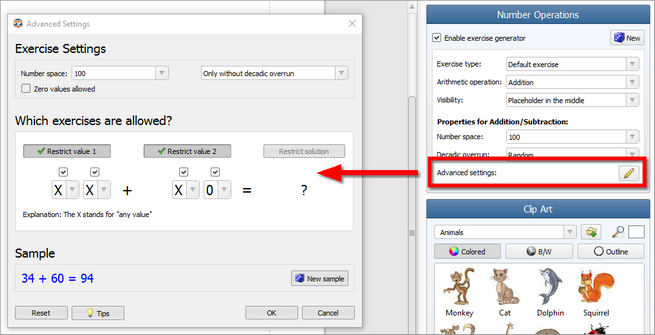
For each exercise the value the number of digits and the allowed digit values can now be limited. Each digit can either have an arbitrary value (represented as an X) or a fixed (represented via the digit value). With this flexible system you can now easily create exercises such as Add hundreds to tens only or Complete to the value of 100.
The following configuration e.g. limits the generator to exercises such as 20+35 or 40+15:

Extensive possibilities for defining ten-, hundred- and thousand-overruns
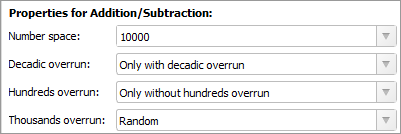
In the new generator we greatly improved the possibilities for specifying the valid overruns (addition) and undercuts (subtraction). You can now specify all three overruns separately and thus combine them as you require. The overrun logic has been refined so that e.g. 12+15 is not treated as ten-overrun anymore. Plus, you can now accurately tell Worksheet Crafter whether your exercise must or must not have an overrun.
Exercises with or without zero values
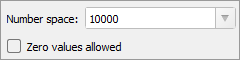
The new exercises now offers the option to include or exclude zero values in your exercises:
Arbitrary number space for multiplication and division exercises
Previous versions of Worksheet Crafter could only create multiplication and division exercises in certain times table rows. The new version now comes with a new Exercise spectrum option which allows you to choose whether you want to limit your exercise to times table columns or to an arbitrary number space:

Intuitive user interface
We have spent many thoughts on embedding this new complex functionality in a simple and still intuitive user interface. The result is a comprehensive dialog for applying your advanced generator settings, which can be accessed as usual via the property editor at the right side of the application:
|
Support for Interactive Worksheets on iPads (Worksheet Go!) |
With Worksheet Crafter 2017.1 you can now create worksheets for the iPad. Exporting your worksheet to the iPad is done with a few simple clicks. The worksheets can then be solved interactively by your students, using our new Worksheet Go! app for iPads. Worksheet Go! provides extensive possibilities to adjust the experience to the capabilities of each single student. Please note that Worksheet Go! is available in German language only so far. Please contact us if you'd like to see Worksheet Go! in English language as well.
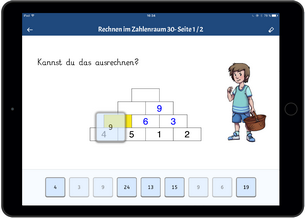

The current version already supports many math templates on the iPad as long as the exercise generator is enabled. More information about Worksheet Go! can be found here.
|
Optimized Tags for Basic und Premium Cliparts |
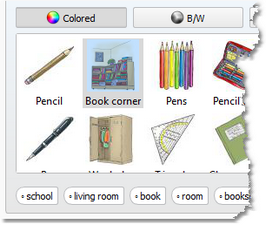
In the new version greatly optimized the tags for Basic and Premium Cliparts. We checked each image, added missing tags and improved the existing ones. Finding suitable images via our tag based search will now provide even better results:
|
Dotted Font for Handwriting Lines |
Our handwriting font now also comes with a dotted version. You will find it in the font selection under the name WsC Lineaturschrift Dots:

|
And many improvements more... |
•The numbering item now supports ongoing numberings across multiple pages and remembers the previously used size.
•Worksheet Crafter now remembers the hand-drawn style option and automatically applies your last configuration to new worksheets
•The list of previously used worksheets in the File menu now provides a toolbar, showing the full path to the respective files
•The story library dialog now accepts chosen stories via double click
•New premium cliparts: We have added images for glue and individual work (girl)
New Capabilities in Version 2016.3
Version 2016.3 of Worksheet Crafter was published in October 2016. This version includes the following improvements:
|
New: Fraction Pie |
|
|
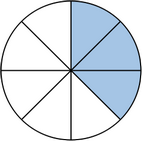
The new Worksheet Crafter comes with a Fraction Pie shape, which is ideal for introducing fractions to your students.
The fraction pie can visualize an arbitrary number of segments and filled segments, allowing you to realize any kind of fraction. Both the color and the background pattern are freely configurable.
You will find the new fraction pie in the left toolbar, inside the "Shapes" section. |
|
|
New Shapes: Curved Line and Arrow |
|
|
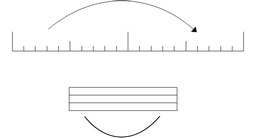
With the Curved Line and the Curved Arrow shapes you will now find two new shapes in Worksheet Crafter which can be used for many purposes.
The curved arrow is ideal for labeling images, connecting images with text and for visualizing jumps inside number ray activities.
The curved line is useful for connections of any kind and can additionally be used to manually design syllable bows.
Both olor and line thickness are adjustable. You will find the new fraction pie in the left toolbar, inside the "Shapes" section. |
|
|
Creative Background Patterns for Shapes |
|
|
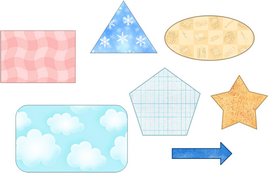
All Shapes can now optionally use a background pattern instead of a single colored background. We provide 49 professionally designed textures for this purpose.
You can configure the background of your shape directly in the property editor. Simply set the Fill Style to Pattern and choose the appropriate texture with the Texture property. |
|
|
New Grundschrift Font with Dotted and Arrow Styles |
|
|
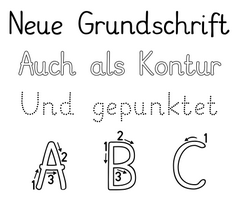
The new Worksheet Crafter comes with a new Grundschrift font, explicitly created and optimized for our application. We ship this font in four variations, including outline, dotted and arrow styles.
You will find font called "WsC Grundschrift" in the font dropdown. |
|
|
New: Automatic Vowel Highlighting |
|
|
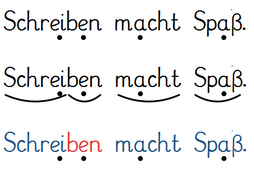
You can now highlight all vowels in your text with a single click. These vowels then get rendered with an additional dot underneath. This feature can be used both for your own texts and for the ones included in Worksheet Crafter.
Activating the vowel highlighting is really simple. Both the text box and the handwriting lines provide a new property called "Highlight Vowels". Simply check this property to enabled the highlighting. |
|
|
Special Handwriting Line Font and Simplified Handwriting Line Usage |
|
|
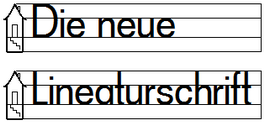
With the new version of Worksheet Crafter we have introduced an additional line ratio mode for handwriting lines, which simplifies the usage of these items. The handwriting lines will now by default use a 1:1:1 line ratio and only match the line ratio of the chosen font once you enter text.
Additionally we now provide you with a font which is explicitly designed for being used in handwriting lines. The new font "WsC Lineaturschrift" comes very close to the 1:1:1 line ratio and thus works very well inside handwriting lines. You can find this new font in the font dropdown. |
|
|
Tag Based Clipart Search |
|
|
To make searching for suitable pictures even simpler, we introduced a new tag list for pictures. Once a picture gets selected in the clip art browser, Worksheet Crafter now shows you a list of tags which are associated with this picture. Simply click on such a tag to search for all related pictures.
|
|
|
Support for Number Houses with 1 and 2 Levels |
|
|
The exercise generator of the number house activity is now even more flexible. It now also supports houses with just one or two levels, which is great of students which have difficulties with math.
|
|
|
Significant Improvements to Size Consumption and Quality of Pictures |
|
|
In the last months we spent a noticeable amount of time on improving Worksheet Crafter internals. Previously worksheets with many pictures could causes issues since the pictures might not fit into memory anymore.
With the new version we applied several optimizations to this. The pictures in our worksheets now just need about 1/3 of the memory they needed before, without loosing any quality. Additionally we made sure that Worksheet Crafter has access to more memory in general. The combination of these two improvements means that you can now create worksheets larger than ever before.
At the same time we worked on improving the quality of printed pictures and managed to improve this significantly as well. Especially large images now get printed in a much higher quality. |
|
|
Useful Keyboard Shortcuts |
|
|
The new Worksheet Crafter comes with useful keyboard shortcuts for changing the font size and view zoom level:
•The keyboard shortcuts "Ctrl Alt +" und "Ctrl Alt -" increase or decrease the zoom level. On Mac this corresponds to "cmd alt +" und "cmd alt -". •The keyboard shortcuts "Ctrl +" und "Ctrl -" increase or decrease the font size on the currently selected text or item. On Mac this corresponds to "cmd +" and "cmd -".
|
|
|
Any many Improvements more... |
|
|
In addition to the improvements mentioned above we have also fulfilled many more smaller wishes our customers asked us for, such as:
•The grid size in math grid and written methods item can now be adjusted via the "increase font size" and "decrease font size" buttons in the upper toolbar. •If your school purchases Worksheet Crafter then you can now easily switch your license to the school license, using the new "Change License Data" option in the Help menu. •In total we applied more than 20 additional improvements and fixes to this version, to make Worksheet Crafter even better. |
|
New Capabilities in Version 2016.2
Version 2016.2 of Worksheet Crafter was published in July 2016. This version includes the following improvements:
|
New Item: Word Problems |
|
|
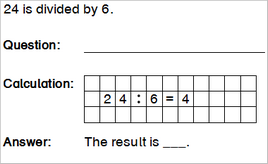
With the word problem exercises the latest Worksheet Crafter supports a powerful new exercise template.
The word problem exercises come in various text variations. Both the arithmetic operations and the number space are configurable with the exercise generator. The solutions can optionally be printed onto an answer sheet. Modifications to the text can easily be applied in manual mode by deactivating the exercise generator.
The visibility of the various exercise sections (question, calculation, answer) is configurable so that different predefined content can be provided to the pupils. As a special feature the word problem item if the first exercise in Worksheet Crafter which supports real numbers.
You can find the new word problem item in the left item bar, directly underneath the Multiphant item.
|
|
|
New: Tag-based Clipart Search |
|
|
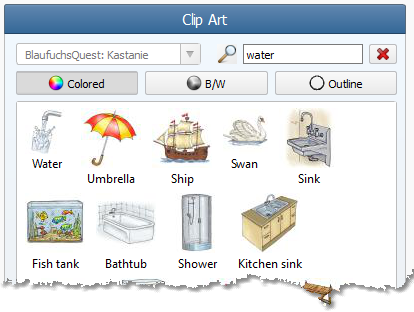
Searching for clip arts is now easier than ever before. We have spent a significant amount of time on provided tags to all clip arts inside Worksheet Crafter. When searching for clip arts these tags now get considered as well.
Due to this new meta data the search now provides significantly better results. For example, searching for "water" will now not just return the "water" clip art but also related drawings such as a sink, a bathtube, a shower and much more.
Important: The tag based search only works after you have installed the new Premium Content 2016.2. Updating just the Worksheet Crafter application is not sufficient. |
|
|
Support for Double Sided Worksheets |
|
|
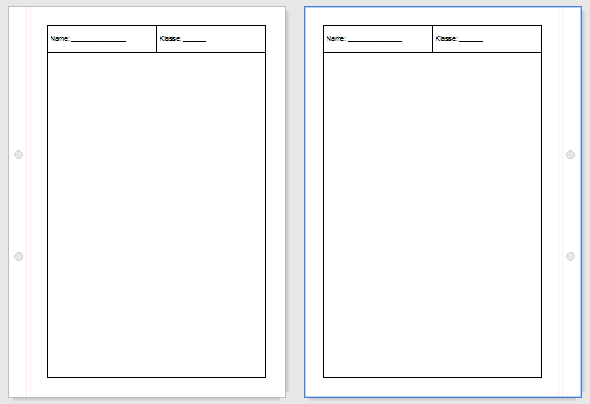
Worksheets can now optionally be configured as "double sided" so that it is easier to print them on both sides of a paper.
For double sided worksheets the left and right borders gets swapped on even page numbers, i.e. on the back page. When working in landscape format this applies to the upper and lower border. The corresponding setting can be found in the "Page Settings" dialog. |
|
|
Tools for Aligning and Distributing Items |
|
|
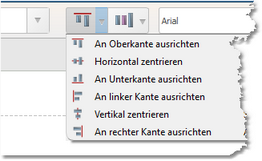
To achieve a beautiful and well structured layout it is helpful if the various items on the worksheet are properly aligned to each other. Exactly for this purpose Worksheet Crafter now provides helpful alignment tools in the upper toolbar. This way you can align or center items with a single click.
Additionally items can now also be evenly distributed on the page with a single click.
|
|
|
Better and Clearer Clipart Selection |
|
|
Working with clip arts has been improved in two different ways:
The list of categories is now provides a hierarchical structure so that the sections don't have to be visualized with cryptic prefixed anymore.
When searching for clip arts the application will now automatically provides suggestions for search terms. |
|
|
Number Ray with Arrow at the End |
|
|
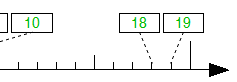
The number ray can now be configured to show an error at the right side. This way you can highlight your pupils that the number space will not end at the end of the number ray but continue to infinite. |
|
|
Any many Improvements more... |
|
|
In addition to the improvements mentioned above we have also fulfilled many more smaller wishes our customers asked us for, such as:
•The toolbar at the top now gets automatically spread across two rows in case it doesn't fit into one row, e.g. due to a small display resolution. •When undoing changes to the text item and handwriting lines the application now also restores the original size of the item. |
New Capabilities in Version 2016.1
Version 2016.1 of Worksheet Crafter was published in February 2016. This version includes the following improvements:
|
New Item: Hundred Number Item |
|
|
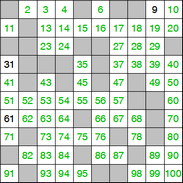
The new Worksheet Crafter comes with a hundred number item which is ideal for teaching students the number space from 1 to 100. This math activity also supports showing parts of the grid only, as well as showing apply patterns to the grid. The start value is configurable so that it can be used in number spaces larger than 100 as well.
In manual mode, without exercise generator, the visibility of cells and values is freely configurable.
The new hundred number item is available in the item bar at the left side of the application.
|
|
|
New: Shapes |
|
|
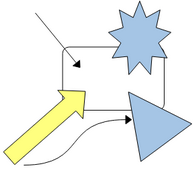
As requested by many customers we have now added support for various shapes. This includes lines, arrows, curves, triangles, rectangles, circles, diamonds, stars and more. All these shapes can be placed and resizes on the worksheet.
The color and thickness of the shape lines as well as the fill color is freely configurable. Additional shape modifications, such as the head position of the triangle, can be interactively adjusted on the worksheet.
The new shapes can be found in the item bar at the left side of the application. |
|
|
Isometric Grid for Math Grid Item |
|
|
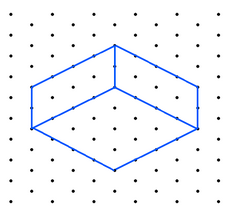
The math grid item now provides a new visualization for an isometric grid. This visualization is an ideal basis for three dimensional drawings. Since the height and width is configurable, the perspective of the grid can be configured as desired.
|
|
|
More flexible Creation of Text and Handwriting Lines |
|
|
The size of the text item and handwriting line can now be set during creation already. To do so, select the item in the left item bar. Next click inside the worksheet and span the item while keeping the left mouse button press. This way you can set the width and height right away.
|
|
|
Any many Improvements more... |
|
|
In addition to the improvements mentioned above we have also fulfilled many more smaller wishes our customers asked us for, such as:
•The maximum row count for tables has been increased to 30 •The third grade handwriting line now also supports highlighting the main row •When copying complete pages to the clipboard, to copy them into other applications, Worksheet Crafter now always provides a high resolution for the copied page image,. •The owl mail service now supports slower internet connections |
New Capabilities in Version 2015.3
Version 2015.3 of Worksheet Crafter was published in October 2015. With this version we require the latest Service Pack 3 for Windows XP users. This version includes the following improvements:
|
Free Rotation of Pictures and Text Items |
|
|
The new Worksheet Crafter supports freely rotating pictures and text boxes. This gives more creative freedom when creating your worksheets.
The rotation is applied via a green rotation knob - a concept which is known from many other applications as well. |
|
|
Increasing and Decreasing Font Size Text |
|
|
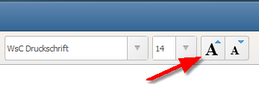
Due to customer requests we have added a two new buttons for increasing and decreasing the font size of the currently selected item in single steps. This simplifies the process of tweaking font sizes; there is no need anymore to utilize the font size dropdown in such cases.
When touching this functionality we additionally simplified the usability of text boxes: the new buttons can also be used when the text box is selected but not being edited.
Last but not least the two new font size buttons can also be used on handwriting line items to increase and decrease their line height.
|
|
|
Support for Bavarian Subtraction Method |
|
|
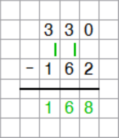
The new Worksheet Crafter version has support for the new Bavarian subtraction method which is based on the LPPlus curriculum. |
|
|
Neue Schrift: Mirror Font |
|
|
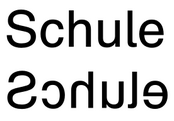
The new font called "WsC Spiegelschrift" shows all letters and numbers horizontally mirrored. In combination with the text exercise "text backwards" you can create text which can be completely read backwards.
The new font is available to all users of the Premium and Unlimited Edition. |
|
|
Any many Improvements more... |
|
|
In addition to the improvements mentioned above we have also fulfilled many more smaller wishes our customers asked us for, such as:
•New sample worksheets which demonstrate the functionality of Worksheet Crafter •The Mac version now also supports deleting items via the "Backspace" key •The page frame now provides a new footer element called "signature". •The story library comes with a set of new German stories from Karen Jung •Within the story library you can now select and take over parts of a story only, e.g. to only use the beginning of a story in your worksheet. •The stability of the Mac version has been improvement at multiple places •The handwriting line item now remembers its settings, such as the handwriting house color |

New Capabilities in Version 2015.2
Version 2015.2 of Worksheet Crafter was published in June 2015. With this version we stop supporting Mac OS X 10.6. When using Worksheet Crafter on Mac you will need Mac OS X 10.7 or newer. This version includes the following improvements:
|
Equation Editor for Fractions, Radicals and More |
|
|
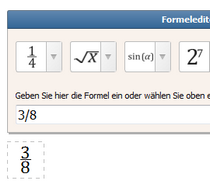
The new Worksheet Crafter now includes an equation editor for displaying fractions, radicals and even complex mathematical equations. A dedicated panel provides an intuitive way to enter the equations. For example, entering a fraction is as easy as typing in "1/4". The user interface also provides a set of ready to be used templates and samples.
The equation editor is available as a standalone item but can also be used inside the available exercise templates.
|
|
|
Automatic Syllable Bows |
|
|
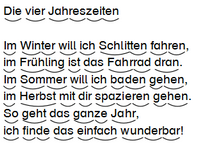
Besides the already existing possibility to colorize text according to syllables Worksheet Crafter now also supports rendering syllable bows underneath the text.
To do so, simply create a text box or handwriting item and enable the "Show syllable bows" property on the item. Worksheet Crafter will then take care of detecting the syllables and rendering the bows.
|
|
|
New Language Exercise: Gap Exercises |
|
|
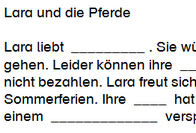
Creating gap exercises in the new Worksheet Crafter is now a matter of a few seconds. The new "Gap Exercise" supports replacing complete words, the inside of words, beginning of words, ends of words, specific letters, letter combinations and even punctuation marks.
The gaps can be distributed randomly or placed by hand. The rendering style of the gaps is customizable and the solution words can optionally be appended to the text.
|
|
|
Story Library |
|
|
The new story library includes 140 stories and poems in English and German language. All these stories have been written exclusively for Worksheet Crafter and can thus be freely used in your lessons.
Combined with the various language exercises available in Worksheet Crafter creating language worksheets is now a matter of a few minutes only.
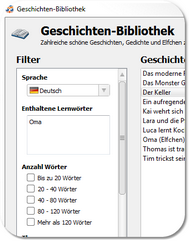
Worksheet Crafter provides a dedicated user interface for the story library, including support for filtering the stories by language, number of words, topics and contained words. A new story item simplifies placing stories on the worksheet.
The story library is available in the Premium and Unlimited Editions of Worksheet Crafter. |
|
|
New Handwriting Font |
|
|
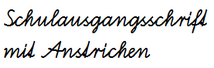
Due to customer requests we have added a new variation of the SAS font for which the relevant lower case letters all start at the baseline.
The new font is called "WsC SAS Anstrich" and is available to all Premium Edition and Unlimited Edition customers. |
|
|
New: Neu: Block Letters and Outline Fonts |
|
|
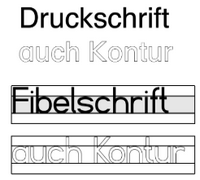
Worksheet Crafter now comes with two block letter fonts which are optimized for being used inside Worksheet Crafter.
"WsC Druckschrift" is a classic block letter font based on the "NorthFont" whereas the "WsC Fibelschrift" has been optimized for being used in the handwriting lines..
Both fonts are also available as outline fonts.
|
|
|
New: Eraser Font and Secret Font |
|
|
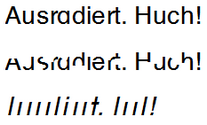
The new font "WsC Druckschrift Radierer" is based on the block letter font, but with all letters being partially erased. The students thus have to figure out what the original characters were, making it more tricky to read the text.
"WsC Geheimschrift 1" is a special "secret" font. In this font all letters are shown as vertical lines only, where the position and height of the vertical line corresponds to the original letter. As a small guidance the i-dots and t-bars are indicated in the font.
Both fonts are included in the Premium und Unlimited Editions.
|
|
|
New Features for Pictures and Clip Arts |
|
|
Pictures can now optionally be surrounded by frame. To do so simply enable the corresponding property on the Picture item.
Additionally pictures can now be pushed into the foreground or background, so that they can be placed before/behind the text. This functionality can also be used to configure the order of overlapping pictures.
Beide features can be found in the picture item properties. |
|
|
And Many improvements more... |
|
|
In addition to the improvements mentioned above we have also fulfilled many more smaller wishes our customers asked us for, such as:
•The math grid now supports a new visualization called "point grid", which is an ideal template for geometry exercises. •The Mac version now supports "justified" alignments again •The quality of saved images has been increased so that saving them multiple times won't result in any quality loss. •For US customers the handwriting lines and the multiplication/division signs have been adjusted to American standards. |
New Capabilities in Version 2015.1
Version 2015.1 of Worksheet Crafter was published in February 2015 and includes the following improvements:
|
New Item: Number Triangle |
|
|
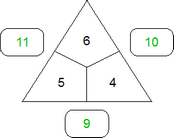
The new Worksheet Crafter includes the number triangle as a new math exercise. The number triangle supports both addition and multiplication exercises and can be used for various purposes.
Special emphasis should be placed on the manual mode of the number triangle. For this item, Worksheet Crafter optionally also computes the solution in manual mode as long as sufficient input values are provided. This means that answer keys can also be created in manual mode.
|
|
|
Flexible Number Spaces for All Items |
|
|
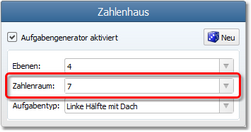
As wished by many customers the math exercise items now provide an option for entering a custom number space. You can thus use the exercise generator with any number space you like, such as 5, 30, 70 or even 12.523. This greatly enhances the possibility of creating differentiated material for your students.
While adding this feature we have also extended the valid number space for many items. Most of the items now support a number space from 5 to 1.000.000. |
|
|
Automatic Recovery |
|
|
The new Worksheet Crafter automatically takes care of restoring your previous work when the application or your computer crashes. For this purposes it regularly tracks your current work in the background (just on your local computer). This will hopefully reduce frustration if the worst case (computer crash) happens.
|
|
|
Optimized Size of Worksheet Files |
|
|
We have significantly reduced the file size and memory consumption of worksheet files, especially when using many images. Dependent on the number of images worksheets now need up to 20 times less space in memory and on your hard disc.
This leads to many advantages. First of all it is now easier to send worksheets to friends since they are more compact in size. Second, complex worksheets now also load properly on computers with limited memory. |
|
|
New Clipart Collection: Finger Counting |
|
|
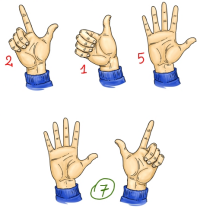
The premium cliparts have been extended with "finger counting" cliparts. These cliparts are especially useful for introducing mathematics in elementary schools. They include 20 images, covering both the left and the right hand in various poses. As usual all cliparts are shipped in color, grayscale and as outline.
|
|
|
New Clipart Collection: Lesson Organization |
|
|
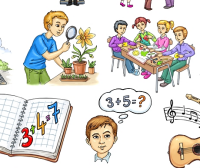
The new premium clipart collection "lesson organization" comes with various cliparts describing forms of working, tasks and school subjects. For example this includes reading, writing, speaking, partner work, group work, general science, visual arts and many more.
|
|
|
New Collection Collection: Swiss Frances and new Euro Bank Notes |
|
|
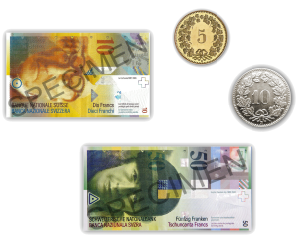
The new Worksheet Crafter now also includes the Swiss Francs bank notes and coins. Due to legal issues the bank notes are watermarked with the text "Specimen".
Additionally the Euro cliparts have been updated so that the 5 and 10 Euro signs reflect the most recent versions. |
|
|
Extensions to Existing Math Exercises |
|
|
For the existing math exercises we have implemented the following customer wishes:
•The number ray now also supports step sizes of 1 in the number spaces 10.000 and larger. Previously only step sizes of 10 and 100 where allowed in that case. •The number pyramid can now use multiples of ones in the number spaces 1.000 and higher. Previously the exercise could only show multiples of 10 in these number spaces. •The number house can now be reduced to one level in manual mode. Previously there was a minimum of two levels for this exercise. |
|
|
And many Improvements more... |
|
|
In addition to the improvements mentioned above we have also fulfilled many more smaller wishes our customers asked us for, such as:
•We have further improved the accuracy of the text alignment in handwriting line items. •The math grid now supports entering the Euro sign. |
New Capabilities in Version 2014.3
Version 2014.3 of Worksheet Crafter was published in October 2014 and includes the following improvements:
|
Handwriting Fonts directly inside Worksheet Crafter |
|
|
The new Worksheet Crafter comes with built-in handwriting fonts which you can use directly inside Worksheet Crafter. This includes various German, Austrian and Swiss handwriting standards (LA, VA, SAS, Oe95, Swiss).
The new handwriting fonts are listed in the "School Fonts" section inside the font selection drop down menu. When using these fonts Worksheet Crafter takes care of realizing the connections between the letters correctly. |
|
|
Colorizing Syllables |
|
|
In response to many request by our customers, we have extended Worksheet Crafter to support colorizing the syllables of arbitrary text snippets. This is supported for text both in text and handwriting line items. |
|
|
New: Language Exercises |
|
|
The new Worksheet Crafter introduces various language related exercises which you can apply to any text in your worksheet. This includes exercises such as scrambled text, backwards text and word chains.
These exercises are both available in text and handwriting line items. They are offered in the right sidebar while the text is being edited.
|
|
|
Convenient Dictionary |
|
|
The new dictionary inside Worksheet Crafter is a handy tool for finding words that match the current knowledge of your students. The dictionary supports both the English and German base vocabulary.
The dictionary offers powerful filtering methods. Search for words which begin or end with certain letters. Specify, which letters a word may contain. Or restrict the search result by limiting the number of letters the word may contain.
Found words can be inserted into the worksheet or copied to other applications with a single mouse click. Additionally, cliparts which match the search criteria are listed as well. |
|
|
Creating own Clipart Categories |
|
|
With the new version of Worksheet Crafter you can now create your own clipart categories and will them with multiple cliparts with a single click. This makes it much easier for you to use your own cliparts inside Worksheet Crafter. |
|
|
Math Grid with Circles and Octagons |
|
|
The Math Grid item has been extended to optionally render the items as circles or octagons instead of boxes.
|
|
|
Customizable Line Spacing |
|
|
The line spacing in text and handwriting line items is now customizable. |
|
|
And many Improvements more... |
|
|
In addition to the improvements mentioned above we have also fulfilled many more smaller wishes our customers asked us for:
•The confirmation messages shown when deleting or copying items can now be disabled, so that you can don't get disturbed by unnecessary user interface elements while working with the application. •The clipart category drop down list has been increased in width so that all category names are fully readable. •Adding own images to your worksheets is now even easier than before. Simply drag and drop your image from Windows Explorer or Mac Finder directly onto your worksheet. •Worksheet Crafter now starts up significantly faster then before if your default clipart category contains many images. •The "Grundschrift" font has been extended with the Euro-sign. Many thanks to Mr. Urff for this extension. •The new handwriting fonts show typographically correct quotes. •The Multitext export has been extended to provide better support for written method exercises. |
New Capabilities in Version 2014.2
Version 2014.2 of Worksheet Crafter was published in June 2014 and includes the following improvements:
|
New Item: Written Methods |
|
|
With the new item for written methods it is now possible to create written method exercises inside Worksheet Crafter with few clicks. Both the solution and the solution process are shown on the answer key sheet. The optional "formulas" of the exercise generator offer a great degree a flexibility when it comes to narrowing down the allowed values for the exercise.
Special emphasis should be placed on the manual mode of the written methods item. For this item, Worksheet Crafter also computes the solution in manual mode as long as all input values (e.g. summands) have been provided. This means that answer keys can also be created in manual mode.
Just like the number operations, the written method item can hold multiple exercises. Simply increase the size of the item to achieve this.
|
|
|
New Item: Tables |
|
|
In response to many request by our customers, we have extended Worksheet Crafter with a new item for tables. With this new item to can easily create and configure tables in your worksheet. The number of rows and columns is freely adjustable, as well as the border and background color of the table cells. |
|
|
Saving worksheets in PDF format |
|
|
The File menu now allows you to save your worksheet as a PDF file. PDF files can be viewed and printed on any computer, thus this format is ideal when bringing your worksheets to school for printing.
Both the worksheet and the answer key can be saved to PDF. |
|
|
New: Sending worksheets via OwlMail |
|
|
The new Worksheet Crafter comes with a brand new and handy idea: the OwlMail.
OwlMail is a free service of Worksheet Crafter which allows you to send your worksheets in a private and easy via the Internet. You may use this feature to send one of your worksheets to a colleague, or to send your worksheet to school so that you can print it there.
Uploading a worksheet to OwlMail is done with a few clicks. Once uploaded, you receive a link to your worksheet on our server. It is your decision who receives this link and thus has access to your worksheet. The uploaded worksheet is available for at least 60 days, both as PDF and as original Worksheet Crafter file.
To understand OwlMail best simply give it a try! |
|
|
Improvements to the Multitext Export |
|
|
During the last months Mr. Hindelang and we have improved the integration of Worksheet Crafter with Multitext.
With the latest version of Worksheet Crafter and Multitext the solutions of your worksheet will now also be taken over to Multitext. When interactively solving worksheets in Multitext you will thus immediately see whether the entered results are correct or not. |
|
|
Optional Dividing Line in Ten/Twenty Frame Items |
|
|
Following more customers requests we have extended the ten and twenty frame item. It now optionally displays dividing lines between the blocks of five points. These dividing lines help students to separate the blocks more easily. |
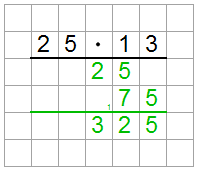
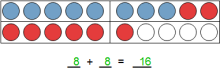
New Capabilities in Version 2014.1
Version 2014.1 of Worksheet Crafter was published in February 2014 and includes the following improvements:
|
New Item: Self-Control |
|
|
The answer bank shows the solutions of selected exercise items in a random order. Use this item to give your pupils the possibility to verify their results on their own.
Using the answer bank is very easy. A single click is sufficient to add all solutions of an exercise to the self-control item. |
|
|
New Item: Numbering |
|
|
The numbering item provides an easy way to number your exercises on your worksheet. The numbering item will by default automatically take care of assigning the next free number to the numbering. |
|
|
Worksheet Crafter is now also available on Mac OS X |
|
|
We have finally finished Worksheet Crafter for Mac, which means that all Mac users can now also benefit from using Worksheet Crafter for creating their worksheets.
Worksheet Crafter on Mac works the same way as on Windows so that no additional learning time is required. |
|
|
New Cliparts: Children of the World |
|
|
We have added a new Premium Cliparts collection called "Children of the world". This collection contains 26 hand-drawn images of children from various cultures.
As usual all images are available in color, black/white and as outlines. |
|
|
Comprehensive Extensions of the Clock Field |
|
|
The clock field has received a set of new features based on customer wishes.
First of all the exercise generator of the clock field now also supports five and fifteen minute steps. Second, the clock face can be configured more flexible now, finally allowing you to hide all numbers or to show all 24 numbers. And last but least the clock field can now optionally show two time labels below the clock face. |
|
|
Scaling down the Handwriting Lines |
|
|
As requested by many customers, the handwriting lines can now also be scaled down all the way up to 50% of their normal size.
|
|
|
Transparent Cliparts and Pictures |
|
|
All pictures and cliparts can now optionally be rendered with a transparent background. This makes it much easier for you to place overlapping cliparts on your worksheet. |
|
|
More Powerful Frames for Text Boxes |
|
|
The text box now provides extensive properties for configuring its frame. You can now setup round frames, boxed frames, rounded frames, frames with transparent background, frames with colored background and much more. |
|
|
Hand-drawn Worksheets |
|
|
With this new setting you can configure the worksheet to be visualized in a style which is similar to hand-drawn. If enabled then the lines and boxes will not be rendered as straight lines but rather slightly wobbly. Additionally the lines will be a bit ticker than usual. |
|
|
And many Improvements more... |
|
|
In addition to the improvements mentioned above we have also fulfilled many more smaller wishes our customers asked us for:
•Worksheet Crafter now remembers the recently used font size in case the font size has been used more than once. •The print preview will not show the helper grid and the page margins anymore. Due to this the print preview now gets much closer to the final result when being printed. |




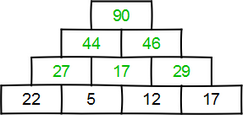
New Capabilities in Version 2013.5
Version 2013.5 of Worksheet Crafter was published in September 2013 and includes the following improvements:
|
New and more pleasant Coloration of the User Interface |
|
|
The new version of Worksheet Crafter has a significantly more beautiful user interface.
With the usage of calmer colors we want to make it more pleasant for you to work the application. And if it is also more fun for you to work with the new user interface then we are of course happy as well. |
|
|
Support for Multi-Page Documents |
|
|
The new Worksheet Crafter finally allows you to create worksheets with multiple pages and to save these multiple pages in one file. While adding this feature we have also redesigned the view so that you can show multiples side by side, both vertically and horizontally. This is especially useful when using wide-screen monitors.
To simplify your daily work even more we have also added comments for copying, cutting and pasting complete pages. |
|
|
Multi Selection: Selection and Editing of Multiple Items |
|
|
When working with items you can now select and edit multiple items at the same time. Use this new feature to move and scale multiple items in one step. Copying multiple items to Microsoft Word is also simplified by this new feature.
As a special gem we have also added support for editing the properties of multiple items at the same time, using the already known property editor. This means that you can select multiple items and e.g. change their number space with one single click. We hope that this little feature helps you in your daily work. |
|
|
Rotating and Mirroring Images |
|
|
Cliparts and images can now be mirrored and be rotated in 90 degree steps. You will find the corresponding buttons in the property editor once you have selected or a clipart or image item. |
|
|
Dedicated School Fonts Included |
|
|
Worksheet Crafter now includes a set of free school fonts which you can use for your worksheet without running into any legal issues. We have also added an outline font plus multiple fonts dedicated to dyslexia.
Many thanks to Anja Meiners, Christian Urf, Florian Emrich, Peter Wiegel and Ruben Rimmler for providing these free fonts.
|
|
|
More comfortable Font Selection |
|
|
The drop down menu for selecting fonts has been significantly improved in the new version.
Your recently used fonts are now listed in a separate section and can thus be accessed very quickly. We have also added an own section for the school fonts which we are included in the new version. |
|
|
Highlighting the Handwriting Line Main Row |
|
|
The handwriting lines for the first and second grade now allow you to highlight the area between the base and upper line. Additionally the base line gets drawn a bit thicker in this case.
This can be useful when working with first grade pupils or with pupils that have weak cognitive abilities. |
|
|
Better Access to Variant Generator |
|
|
The toolbar at the top of the application provides a new button for recomputing the exercise for all items with a single click. Use this command to generate variants for your worksheet in one easy step. |
|
|
Background Color and Toolbar for Math Grids |
|
|
We have spent quite some time on the math grid to make it more easy to use. The new Worksheet Crafter version shows you a special toolbar while you are editing the math grid. This toolbar provides a list of commands which are specific for the math grid; you can thus access these special commands with a single click.
In addition to this we have added the possibility to set background colors for the single math grid boxes. This can for example be used to highlight boxes which have to be filled in by the pupils. You will find this new command in the new math grid toolbar. |
|
|
Speech Bubble with White Background |
|
|
You can now optionally fill the speech bubble with a white background color. Up to now speech bubbles had a transparent background, which meant that background images were still visible through the speech bubble.
Use this new property if you want to place your speech bubble in front of an image and still want the text to be clearly visible on a white background. |
|
|
Smart Item Movement Capabilities |
|
|
The Worksheet Crafter now automatically keeps items within the page border when moving them around. There is thus no risk anymore to accidentally dragging items outside the page area.
The application now also behaves smarter when adding new items and cliparts: if the item or clipart is too large for the worksheet then it is automatically reduced to a suitable size.
With all these changes we want to reduce the number of necessary working steps and thus save you some time. |
|
|
And many Improvements more... |
|
|
In addition to the improvements mentioned above we have also fulfilled many more smaller wishes our customers asked us for:
•The mouse cursor now gives hints about possible actions at the current position. For example, if you are currently hovering above a number line in manual mode then the mouse cursor shows you where you can double click to add new boxes. •We have revised the text color button in the text format toolbar. The button now allows you to change the color with a single click and additionally provides a drop down menu for accessing commonly used colors. •If you touch the page borders while moving an item then the page automatically scrolls in the appropriate direction. No need anymore to stop the movement in order to scroll the view via the scroll bars. •The handwriting line now offers the possibility to set height scale up to 500%. We have added this possibility since some customers want to use the handwriting lines on templates pinned to the blackboard, which requires very large scales. •You can now resize the right sidebar as you prefer. If you own a large wide-screen monitor then you can e.g. make the right sidebar wider, so that you can see more cliparts at once. |
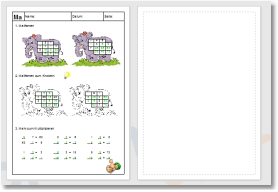
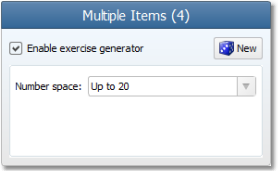
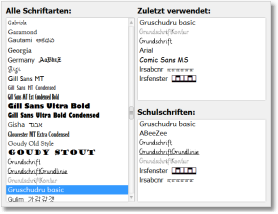
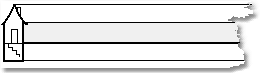
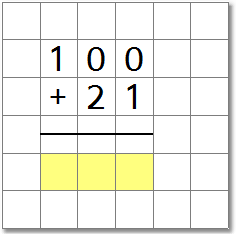
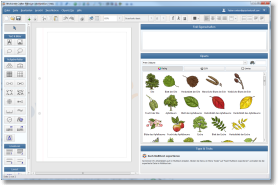
New Capabilities in Version 2013.3
Version 2013.3 of Worksheet Crafter was published in April 2013 and includes the following improvements:
|
New Item: Geoboard |
|
|
The new Geoboard item provides a possibility to create geometry related exercises inside Worksheet Crafter.
The exercise generator of the geoboard item offers a huge variety of exercise types, including mirroring, rotations, area calculations, perimeter calculations, coordinate exercises and more. The rubber bands can be placed very efficiently; alternatively an extensive library with predefined geoboard templates is available as well.
|
|
|
Configurable Line Ratio for Handwriting Lines |
|
|
The line ratio of the handwriting lines is now freely configurable. Additionally Worksheet Crafter gives you the option to automatically detect the line ration based on the currently selected font.
With this new feature you can now use the handwriting lines for pretty much any available font, no matter how large the lower case letters are compared to the upper case letters. |
|
|
Optional Handwriting Houses |
|
|
The handwriting lines now allows you to show a handwriting house at the left and/or right side of the rows.
This visual representation of the basement and the roof helps children to understand where they have to draw the upper and lower parts of the letters. The color of the handwriting house is freely configurable.
|
|
|
New Clipart Collection: Trees and their Leaves, Blossoms and Fruits |
|
|
The Premium Edition of Worksheet Crafter now comes with an extensive set of cliparts regarding trees. The collection comes with hand-painted images of a variety of trees, including their leaves, blossoms and fruits. In total the collection covers more than 300 cliparts. |
|
|
Numerous Customer Wishes realized |
|
|
Besides all these major improvements we have also taken the time to implement numerous smaller features our customers asked for:
•The line color of the handwriting line is now freely configurable, so that you can for example put more emphasis on the text. •The connection lines inside the number line item are now printed in black color, to have them more clearly visible. •The command "Calculate all Exercises Again" can now be accessed via the keyboard shortcut Ctrl+F3. No need to go through the main menu anymore. •The toolbar at the left side of the application has been optimized for small screens (netbooks, notebooks). It now provides a scroll bar when needed. •The distribution of exercises in the number operations item when using multiple arithmetic operations has been improved. The exercise generator will now ensure that all selected arithmetic operations are used, if possible. •The print functionality has been redesigned so that the printer settings are accessible more easily while the worksheet is still visible at the same time. •When dragging items and cliparts onto the worksheet the application will now show a preview image while the item/clipart is being dragged. This modification simplifies the creation of items and cliparts even more. |
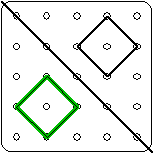
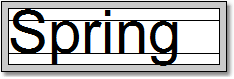
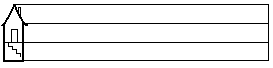

New Capabilities in Version 2013.2
Version 2013.2 of Worksheet Crafter was published in March 2013 and includes the following improvements:
|
New Item: Number Operations |
|
|
The number operations introduce another typical exercise format.
Compared to simple generators the number operations of Worksheet Crafter support various exercise types such as analogy, inversion, exchange and neighboring exercises. This further simplifies creating sophisticated exercises.
In the manual mode you can still select your own numerical data. |
|
|
New Item: the Multiphant |
|
|
As requested by many users we've added a new and very interesting item: the Multiphant.
The Multiphant is an exercise format for editing multiplication exercises in tables. Because the distributive law applies this exercise format the Multiphant can be used in many different ways.
The Multiphant is optionally available without a background image to focus only on the arithmetic problem.
For a detailed description of this item, see the chapter Multiphant of this manual. |
|
|
New Item: the Ten Frame Item and the Twenty Frame Item |
|
|
You can now also use the Ten and Twenty Frame Items in Worksheet Crafter. Both items feature an Exercise Generator.
The ten and twenty frame items also feature a user-friendly manual mode for filling in and/or crossing out individual items with just a few clicks. This way you can also create special exercises with little effort. |
|
|
Capability of Creating Page Frames |
|
|
The new version of Worksheet Crafter features a new and user-friendly function for creating page frames - specially designed for worksheet requirements.
With just a few clicks you can add a frame to the page and enter header and footer text such as "Name" or "Grade". Additionally you can group the worksheet in several exercise sections and add points columns.
The individual lines can be hidden or shown. And you can also configure the thickness of the lines.
For more information about the new capabilities for creating page frames, see the chapter "Page Frames" of this manual. |
|
|
Configurable Page Margin |
|
|
In the new Worksheet Crafter version the worksheet's page margin can be configured. If you change the page margin later the already created items are moved accordingly. |
|
|
Adjustable Height Scale |
|
|
In the new Worksheet Crafter version you can increase the height of the handwriting lines - if needed by up to 300% of the default height. The font size will be adjusted automatically. This means the handwriting lines can be filled with larger font sizes. |
|
|
New Default Clip Arts in three different Drawing Styles |
|
|
The Basic Edition's default clip arts have been comprehensively revised. The clip arts are now much more beautiful than the former default clip arts. Additionally they are available as outline drawings, in color, and in black and white.
|
|
|
Improved Marketplace |
|
|
The new application version features various useful improvements for the Marketplace.
You can now search the marketplace for worksheets using keywords for names and descriptions. The search can be limited to certain categories, making the results even more valuable.
Moreover the worksheets can now be sorted within the categories. In addition to sorting the worksheets alphabetically they can now be sorted according to their popularity - i.e. the most popular worksheets appear first. |
|
|
Includes a Comprehensive Collection of Clip Arts for Maths and Social Studies |
|
|
The new Worksheet Crafter Premium version includes a comprehensive collection of clip arts for mathematics and social studies - a total of more than 750 pictures, each in three different drawing styles.
The clip arts are integrated in Worksheet Crafter and can easily be searched and dragged onto the worksheet. |
|
|
Support for Windows 8 |
|
|
Worksheet Crafter 2013 has been tested for Windows 8 and is completely functional with this OS. |
|
|
Numerous Minor Improvements |
|
|
In addition to the above mentioned changes we also made numerous minor improvements. Among many other things it is now possible to vertically align text in text boxes or to calculate new exercise variations for all items on a worksheet with one click.. |